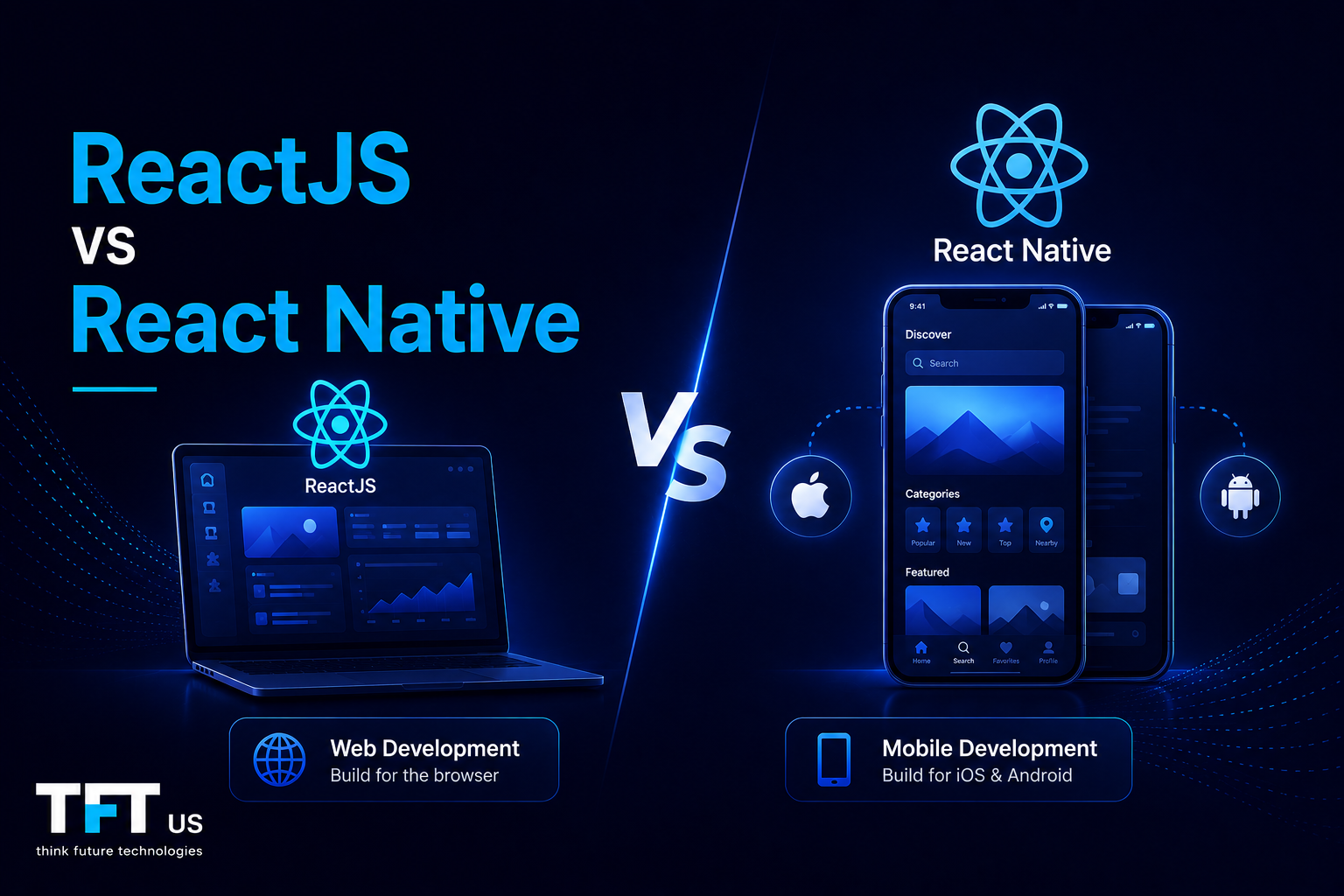
If you are choosing between ReactJS and React Native, both come from the same family but serve very different purposes. ReactJS builds user interfaces for the web. React Native builds native mobile apps for iOS and Android.
Both share the same JavaScript library foundation, JSX syntax, and component-based architecture. A developer who knows one can quickly learn the other. But the platforms they target and the UI components they use are fundamentally different.
This guide will provide you with a clear map, real-world applications, and a framework for selecting the technology best suited to your project.
According to Coursera’s 2025 analysis of ReactJS and React Native, React Native accounts for approximately 35% of the cross-platform mobile development market, demonstrating the continued demand for React-based technologies across both web and mobile development ecosystems.
ReactJS is an open-source JavaScript library developed by Meta in 2013 to build user interfaces for web applications. It allows developers to build reusable UI components that render in the browser and are dynamically updated as data changes.
ReactJS relies on a virtual DOM to efficiently calculate changes in the browser. When data is updated, the virtual DOM computes the minimal distance of transformations and transforms only those to the actual object model of the paper. This makes ReactJS as quick, even in huge and intricate web programs.
What is React Native?
React Native is a platform created by Meta in 2015 based on the ideas of ReactJS applied to mobile apps. It allows developers to create native iOS and Android apps using JavaScript and the same component-based architecture ReactJS developers are accustomed to.
React Native does not render webpages in a browser. Rather, it translates JavaScript code and cross-optimizes it for native UI components on iOS and Android. This implies that React Native applications resemble and behave like native applications, as they are built with real native elements rather than a web view wrapper.
ReactJS vs React Native: The Core Difference at a Glance
Feature
ReactJS
React Native
Primary Use
Building web applications
Mobile app development
Output
HTML elements for browsers
Native ui components for iOS and Android
UI Rendering
Virtual dom in the browser
Native components via JavaScript bridge
Styling
CSS and CSS-in-JS
JavaScript StyleSheet objects
Navigation
React router
React Navigation or Expo Router
Platform
Web browsers
iOS and android apps
Performance
Browser-bound
Near-native performance
SEO Support
Yes, with SSR
Not applicable
Distribution
Browser URL
App stores
Code Language
HTML elements
Native ui elements
Watch: ReactJS vs React Native Explained
This comparison video breaks down the architectural differences, rendering approaches, and platform-specific considerations that developers should understand before choosing between ReactJS and React Native.
How ReactJS Works: The Virtual DOM Explained
ReactJS uses a virtual DOM, enabling it to create web applications quickly and efficiently. React first re-renders the components in memory that have changed state. It then compares the new virtual DOM to the last one, and only the changes are applied to the actual browser Document Object Model.
This mechanism helps to ensure React does not re-render the entire page with each update. Even a simple re-render of just a page would cause a full re-render of the virtual DOM. With thousands of UI components, React enables the creation of interactive web applications without adverse performance effects thanks to its virtual DOM.
The virtual DOM performs the update cycle on the one hand when you are creating user interfaces with real-time data or continuously changing state properties. With this premise, ReactJS is an excellent choice to develop scalable web programs in product-focused markets with fast-paced products.
How React Native Works: Bridging JavaScript to Native
React Native has a JavaScript bridge that enables interaction between JavaScript code and the native mobile platform. React Native compiles your components into native UI components that are rendered on iOS and Android.
React Native simplifies a completely different set of components than ReactJS. React Native replaces HTML elements with View, Text, ScrollView, and Image. These elements are directly mapped to the native UI elements on every platform. A View is transformed into a UIView on iOS and an Android View on Android devices.
This design entails that React Native applications provide authentic native mobile experiences rather than embedded web views. The intrinsic UI elements observe platform design patterns, react to native animations, and can utilize hardware on the device via the platform APIs. This is the difference between React Native and older hybrid systems, which merely loaded a web page within a mobile shell.
Component-Based Architecture: The Shared Foundation
Both ReactJS and React Native are based on the same component-based architecture. The basic unit is a reusable, coded fragment of the user interface that includes logic and rendering output. React Native development can also start much faster than building on top of an unrelated framework for a developer who is familiar with ReactJS.
Both technologies have reusable UI components that receive props and have their own state. You employ the same hooks such as useState, useEffect, and useContext. Concrete data-flow patterns are the same. The mental model shifts virtually to web development and mobile development.
The common architecture makes large codebases accessible. Complex user interfaces can be partitioned into tens of small subunits that are kept separate and focused on by teams. This modularity is also important in both interactive web applications built with ReactJS and native mobile applications built with React Native.
User Interfaces: HTML Elements vs Native UI Components
ReactJS provides user interfaces based on conventional HTML. A button is a button element. A container is a div. The browser renders these HTML elements, and they are styled with CSS.
React Native does not use HTML elements. Each component corresponds to a native mobile OS UI element. View is a native container. Text is a native text element. TouchableOpacity will be a pressable native element. React Native apps can look and feel like real native apps by using these native UI components.
To build something in React Native, you are recreating native components rather than HTML. This difference is fundamental to selecting ReactJS or React Native for any project involving web and mobile applications.
Styling: CSS vs JavaScript StyleSheet
ReactJS is styled with CSS and CSS-in-JS. CSS rules written by developers are applied to HTML elements in the browser. Styled-components, Tailwind, Emotion, and other libraries are all compatible with ReactJS. CSS provides developers with a full set of browser layout tools, such as flexbox, grid, and media queries.
JavaScript StyleSheet objects are used in React Native. CSS is absent since there is no browser. The developers define styles as JavaScript objects whose property names are in camelCase. React Native has flexbox, but does not have all CSS properties. It does not have float, CSS grid, or hover pseudo-selector.
CSS stylesheets cannot be reused in React Native. Teams that create web apps and mobile apps need to use different styling systems for each platform. That is among the most frequent sources of additional work when having to deal with ReactJS and React Native projects in the same organization.
Navigation: React Router vs React Navigation
React Router is used in React.js web applications to manage page navigation. React Router maps URLs to components and provides browser history, deep linking, and bookmarkable URLs. It works seamlessly with browser navigation.
React Native does not use a browser, so React Router does not apply. Instead, React Native uses React Navigation or Expo Router for screen transitions. The React Native navigation is gesture-based and animation-conscious. The navigation is tab-based, with swipe-back and stack-based transitions that are all native to mobile phones.
ReactJS teams that migrate to React Native should adopt a different navigation paradigm. The ideas are partially transferred, and the application is different. Creating a mobile application is not as easy as changing your routing library.
ReactJS for Building Web Applications
ReactJS would be the best option if your main objective is to build web applications for the browser. It is good for single-page applications, dashboards, e-commerce, and any web interface that requires complex user interfaces and real-time updates.
ReactJS is well-suited to NextJS for server-side rendering and static site generation. This makes ReactJS-based applications search engine-friendly, which is required for pages that face the public and for marketing sites. React Native apps cannot be displayed in browsers or indexed by search engines.
The ReactJS ecosystem is immense. State management, testing, forms, and data retrieval libraries are well-documented and mature. New York, San Francisco, and Austin US-based teams have strong local ReactJS expertise. The developer supply renders staffing for web development projects of any magnitude viable.
React Native for Mobile App Development
React Native is the ideal selection if you want native iOS and Android mobile applications based on one codebase. It allows teams to write JavaScript code and deploy to both platforms without having to maintain separate codebases in Swift and Kotlin.
React Native is written in JavaScript and translates UI elements to native elements per platform. The native animations, gestures, and performance of Swift or Kotlin apps are also afforded to users. React Native apps can be distributed in the App Store and Google Play like any other native applications.
React Native has been found to be running 12.57% of the top 500 apps in the US (Blott, 2025). It has been utilized by companies such as Facebook, Instagram, Shopify, and Microsoft Teams to develop native mobile applications with a large number of users.
Performance: ReactJS vs React Native
ReactJS performance is bound to the browser. Speed is determined by the browser’s rendering engine, a device’s processing power, and the efficiency of its components. Even the most complex interfaces with thousands of components can face performance issues in resource-constrained environments, even with the assistance of the virtual DOM.
React Native can be expected to be as fast as JavaScript’s ability to work with native UI components. It has a tremendous performance edge over hybrid frameworks such as Cordova or Ionic because it uses native elements instead of a web view. In the vast majority of mobile app development cases, React Native offers performance that users cannot distinguish from a fully native application.
The new architecture of React Native removes the legacy JavaScript bridge bottleneck and enhances performance for complex animations, large data lists, and real-time interactions. In React Native, the situation has changed, and development is much more competitive with fully native development than before.
Development Environment: Setup Differences
ReactJS is easy to set up a development environment. You require Node.js, npm or yarn, and a text editor. Create-React-App or a Vite setup will provide you with a working environment within minutes. During web development, the testing environment is the browser itself.
React Native involves a more complex installation. The development of iOS needs Xcode on OS. Android Studio is needed for Android development. You require test simulators or physical devices. Expo makes this easier, but the configuration remains more challenging than web development.
ReactJS applications can be entirely developed and tested by a web development team on Windows. The same team has limitations to iOS React Native development because iOS simulators depend on macOS. The two platforms differ in tooling, which must be considered by the teams building either platform.
Code Sharing: What You Can and Cannot Reuse
It is possible to share business logic, state management, utility functions, custom hooks, and validation code between ReactJS and React Native. Sharing UI components is not possible because HTML elements cannot be shared with native UI components.
Other tools, such as React Native Web or a monorepo architecture, can be used by teams to share UI components between web and mobile. But these solutions require meticulous architectural planning and introduce complexity. The majority of teams have distinct UI layers for each platform but share as much business logic as possible.
It is intelligent to select React Native since your team is familiar with ReactJS. It is not an assumption that you can take your ReactJS web application, port it to React Native, and achieve a functional mobile app. The component-based architecture transfers. The styling, navigation, and specific components do not. Groups that learn more quickly do not have to incur expensive restructuring.
State Management in ReactJS vs React Native
The basic level of state management is the same in both technologies. They both have React hooks such as useState, useReducer, and useContext. Both are compatible with Redux, Zustand, and React Query. There is a direct transfer of knowledge between the two.
The Context API works the same way in ReactJS and React Native. State management hooks, such as custom hooks, can even be shared across web and mobile codebases. Common state management is among the most robust practical advantages of selecting both technologies for teams that require web and mobile applications.
The difference between state management lies in the interaction between mobile-specific behavior and the manner in which the state operates. React Native applications must support offline states, push notifications, and background tasks, unlike ReactJS web applications. These mobile-related considerations necessitate React Native solutions that ReactJS developers typically do not encounter.
When to Choose ReactJS
ReactJS should be considered when a web application for the browser is the primary deliverable. Apply it when your product requires SEO, when users are on desktop computers, when web-specific APIs are needed, or when your team possesses excellent web development skills.
ReactJS is appropriate for single-page apps, SaaS dashboards, company sites, content platforms, and e-commerce storefronts. It is used with Next.js, TypeScript, and Tailwind CSS to build high-performance web apps. ReactJS is the most viable, well-supported solution for US businesses that need to develop web apps to serve their clientele in New York, Texas, and California.
Assuming that you will add mobile later, it would be reasonable to begin with ReactJS. When you introduce React Native to your stack, its component-based architecture and state management patterns are incorporated. It is far easier to transition to a non-related mobile framework.
When to Choose React Native
Use React Native when you need to build a mobile app for iOS and Android. It should be used when you require the real native experience, when you require access to device hardware such as the camera, GPS, or push notifications, or when your users are accessing their phones most.
React Native reduces mobile development costs because it uses a single codebase across both platforms (compared to two native codebases). React Native is optimal in terms of development speed, performance, and engineering cost for building cross-platform apps among startups and mid-sized companies.
React Native is particularly powerful when your team is familiar with ReactJS. React Native is quicker to learn than Swift or Kotlin, and faster than ReactJS. US teams that already have experience with ReactJS can typically onboard to React Native in a matter of weeks, reducing the cost of entering mobile app development.
Real-World Use Cases for ReactJS
How Instagram Uses ReactJS at Scale
Instagram relies on ReactJS to power its web experience for millions of users worldwide. By leveraging React’s component-based architecture and Virtual DOM, Instagram delivers highly interactive user interfaces while maintaining fast rendering performance across large volumes of content and user interactions.
This demonstrates why ReactJS remains a preferred choice for large-scale web applications that require responsiveness and maintainability.
Meta developed React Native to solve the challenge of building native mobile applications across multiple platforms while maintaining development efficiency.
The framework enabled developers to share significant portions of business logic across iOS and Android applications while still delivering native user experiences. Today, React Native remains a core part of Meta’s mobile development strategy and is used across products serving billions of users.
This highlights the primary advantage of React Native: balancing native performance with cross-platform development efficiency.
ReactJS vs React Native: Which Is Better for Your Project?
There is no universal superiority of either. ReactJS is better suited to web applications. Native mobile apps are more suited to React Native. The question is which one is appropriate to your particular project needs.
You do not have to select either a web application or a mobile one. ReactJS and React Native can coexist in the same organization, sharing significant amounts of business logic, state management, and utility functions. A number of US technology firms operate simultaneously.
The pragmatic structure is simple. Enquire about the accessibility of your product to the users. Provided using a browser: ReactJS. If using a phone, start with React Native. Assuming you plan to share as much logic as possible, and you budget two different UI layers, even with the same developers, design your architecture to share as much logic as you can from a very early stage.
Contrarian Insight: When React Native Is Not the Right Answer
This is a mere web-versus-mobile option in most comparisons. React Native is not necessarily the solution for mobile. In very performance-sensitive programs such as real-time games or applications with heavy hardware interfaces, pure Swift or Kotlin can provide superior performance.
Flutter has also come in as a serious competitor. The 2024 Stack Overflow Developer Survey has Flutter at 46% of the cross-platform mobile market, compared to React Native at 35%. In some cases, Flutter can be more predictable for teams that focus on UI consistency across the two platforms and do not need platform-specific rendering differences.
Another solution that most comparison articles have not considered is progressive web applications built with ReactJS. In mobile applications where users do not need to access low-level hardware, a ReactJS-powered PWA can provide a mobile app experience in the browser and can be distributed without an app store. This is something to consider before investing in React Native, particularly when the team has solid web development experience.
Is React Native Still Relevant in 2026?
Yes. React Native holds 35% of the cross-platform mobile market and powers 12.57% of the top 500 US apps. Meta actively maintains it, and there is a large, mature community of contributors.
The new architecture of React Native has addressed previous performance criticisms. It now generates more efficient native code with faster JavaScript-to-native communication. In the majority of mobile app development projects in 2026, React Native will deliver performance comparable to fully native development.
Flutter has a 46 percent cross-platform mobile market share and has expanded rapidly. Nevertheless, the JavaScript foundation of React Native can be seen as a decisive advantage for US-based companies.
React Native teams are also easier to staff, with JavaScript developers outnumbering Dart developers by about 20-to-1. React Native is a good option for any organization with existing JavaScript knowledge that wants to create native mobile apps effectively.
3 Common Mistakes When Choosing Between ReactJS and React Native
1. Assuming React Native Is Simply ReactJS for Mobile
This assumption makes teams undervalue the amount of work. The component-based architecture will be relocated, but UI components, styling, navigation, and the development environment are all subject to learning and adaptation.
2. Choosing React Native When a Mobile-Responsive Web App Would Suffice
A web application based on ReactJS and mobile-responsive is not a native mobile application, but in most cases, it suffices. When a responsive web application would have served users equally well, teams that create a React Native application waste a lot of time and money.
3. Treating the Two as Mutually Exclusive
There are many successful products that use both. User behavior data and product needs should be used to drive the decision, and not a bias towards a single technology universally.
Those teams that deal with 25-100 or more engineers working on web and mobile products nearly always operate the two in parallel. This should be planned early to prevent agonizing architecture decisions in the future.
Decision Framework: Choosing Between ReactJS and React Native
Here is a decision-making framework that you may use to make a definite decision about your project:
Choose ReactJS if:
Your product is mostly accessed by your users via a web browser.
Search visibility and SEO are important to your product.
You have a SaaS dashboard, e-commerce site, or content platform under construction.
Your group has a strong background in web development.
You should merge with web-specific APIs or web features.
Choose React Native if:
Your product is primarily accessed by your users on their phones.
You must have access to device hardware such as a camera, GPS, or push notifications.
You would like a single codebase that develops native mobile applications for both iOS and Android.
You desire close native performance without a Swift or Kotlin codebase.
Your team is already familiar with ReactJS and is looking to enter mobile app development.
Choose Both if:
Your product is used by both web and mobile users.
You want to share as much business logic and state management code as possible.
You are scaling to 25-100+ engineers, where platform-specific teams are feasible.
Conclusion
ReactJS vs react native is not a rivalry between two technologies. It concerns the choice of platform your users are on. ReactJS is used to create web apps. Create native mobile apps with react native. Apply the two when your product requires delivering the best web and mobile experience to users.
FAQs
React Native or ReactJS: Which is better?
There is no absolute advantage in either of them. ReactJS is better suited to creating web-based applications that run in browsers. React Native offers the ability to develop native mobile apps for iOS and Android. The correct option will depend entirely on your users’ location. ReactJS should be used when your users are on the web. If your users are mobile, use React Native.
Is React Native still relevant in 2026?
Yes. Recent Statista figures show React Native powers 12.57% of the top 500 US applications, and industry figures show it controls 35% of the cross-platform mobile market. It is still actively supported by Meta and has many developers. Although Flutter has outdone React Native in certain measures of popularity, React Native is easier to staff and maintain for most US-based technology teams due to its JavaScript background.
Is React Native losing popularity?
React native is not losing its customers, but has lost its popularity as the most-used cross-platform mobile platform in favor of Flutter. In the 2024 Stack Overflow Developer Survey, Flutter has dominated the cross-platform mobile market, with 46%, versus React Native at 35%. Even with this change, React Native is increasing in absolute terms and is one of the two most popular options in mobile development across platforms, often used alongside Flutter.
Which is easier to learn: React or React Native?
React (ReactJS) is simpler to learn initially because the development setup is straightforward and the browser provides instant visual feedback during development. When you are familiar with ReactJS, it is a lot easier to learn react native as opposed to learning it directly, since the component-based architecture, hooks, and state management patterns are directly interchangeable. The majority of React Native learners would advise learning ReactJS first and then learning React Native as a second skill.
I'm an SEO content writer specializing in software development, software testing, React, Flutter, DevOps, QA, AI, and technology-focused content. I create research-backed blogs, technical guides, listicles, and thought leadership articles that simplify complex topics, improve search visibility, and help readers stay ahead in the fast-moving tech landscape.




Leave a Reply