

Imagine launching your new payment gateway during a flash sale—transactions fail, customers are upset, and revenue drops. After investigation, you discover a minor bug in a function that should have been caught earlier.
This scenario is more common than you think, but unit testing in software can prevent such disasters. By unit testing each code module as it’s built, developers find and fix bugs when it’s easiest and cheapest to do so.
Unit testing does more than find bugs. It improves code quality, accelerates development, and builds confidence in your software. Let’s see how unit testing works and why it matters to your project.
Unit testing is widely adopted in modern development, with industry data showing that it is the most commonly used testing method across software projects worldwide (Source: Statista, 2024).

What is Unit Testing ?
Unit testing is a software testing technique that enables developers to test small, independent units of an application.
A unit can be a function, method, or object. Unit testing ensures each unit works as intended before assembling larger pieces of code.
To better understand unit testing from a practical perspective, this session explains how testers and developers approach unit testing in real-world projects.
What is an example of Unit Testing ?
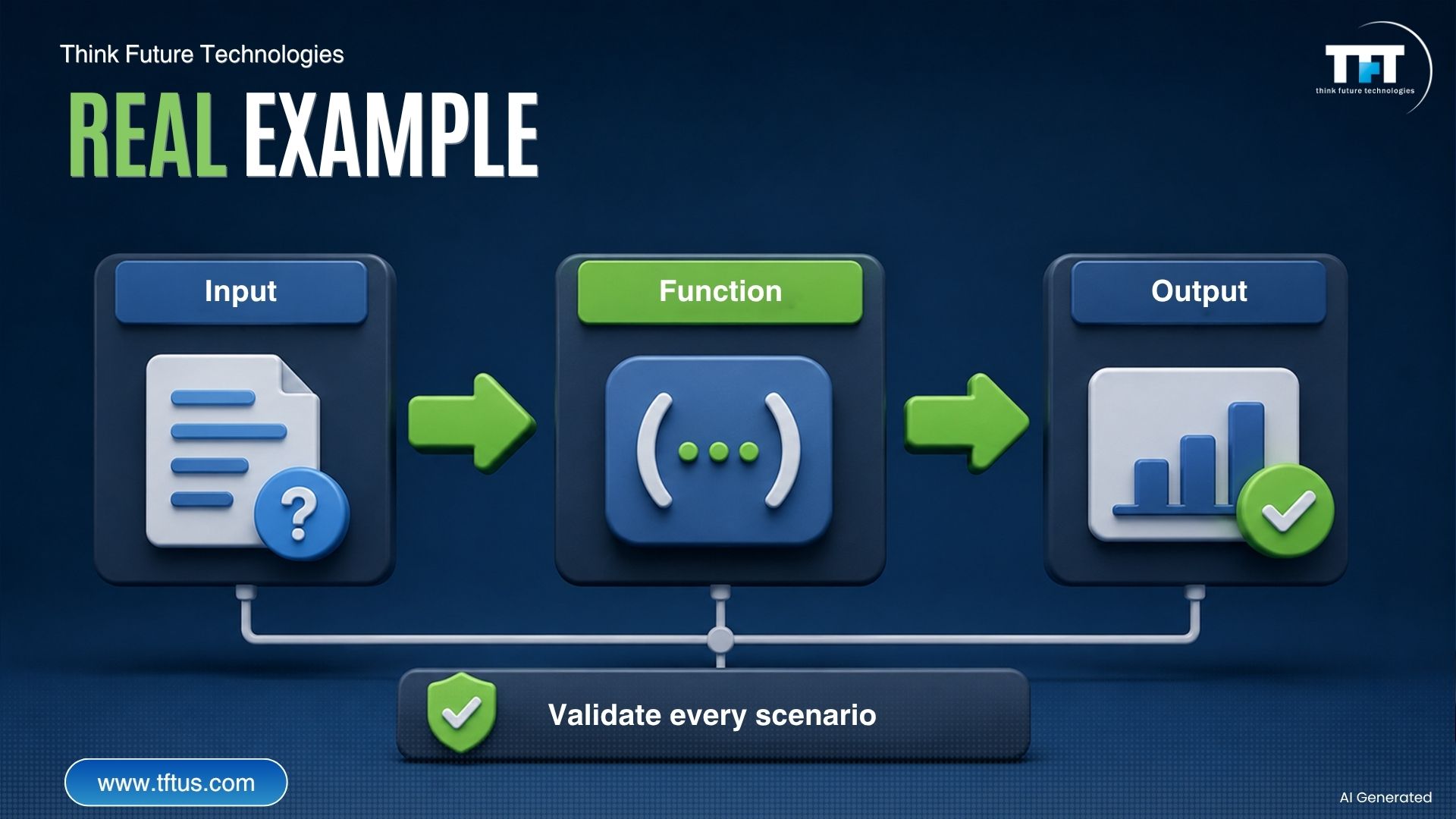
Imagine an online banking application that includes a function for calculating monthly interest. A unit test invokes this function with varying account balances, ensuring the interest calculation is always accurate.
The test makes several statements about different scenarios. The test checks for positive, zero, and edge-case balances. If interest rates require a new calculation, the unit test would detect any error in the calculated interest rate before end users ever see it.
This relatively straightforward example illustrates the benefits of unit testing. A single small function may receive thorough verification, and any problems can be identified during development rather than after production.
5 Key Benefits of Unit Testing
The following are the 5 benefits of unit testing:
1. Early Detection of Bugs
Bugs are cheaper to fix in development than after release. Unit tests catch bugs immediately as code is written, preventing their spread.
2. Improving Code Quality
Unit testing ensures that each unit of code works correctly and meets requirements, improving overall application quality. It improves the codebase’s quality by encouraging developers to think about testing while writing code, leading to better design.
3. Provides Quicker Development Cycles
Automated unit tests run rapidly, giving developers instant feedback. This accelerates development compared to manual testing.
4. Improve Documentation
Tests serve as living documentation, showing how functions should behave. New developers can read tests to understand the code rather than outdated documentation.
5. Reduces Debugging Time
When you create unit tests, you spend less time figuring out what the bug was. The tests will tell you exactly which component is failing. You will be able to re-diagnose the bug much more quickly, making debugging far less stressful.
Case Study: Accelerating Development with AI-Powered Unit Testing
A global healthcare and insurance organization improved its software development efficiency by implementing AI-powered unit testing automation. The company used automated tools to generate unit tests for its codebase, reducing the need for manual test creation.
As a result, unit testing speed improved by 70%, while overall software delivery accelerated by 24%. The organization also saw an increase in sprint velocity, allowing teams to release features faster without compromising quality.
This case highlights how automated unit testing can significantly improve both development speed and software reliability.
(Source: Diffblue Case Study)
What is the Purpose of Unit Testing in Software Development?
The function of unit testing in software development extends beyond simply detecting bugs. It offers a safety net around your codebase. When you change code, the tests will let you know if anything breaks.
Unit testing catches defects early, improves code quality, and integrates well with larger testing frameworks. Detecting bugs early prevents small issues from causing system failure. This saves many hours of debugging and a lot fewer system crashes.

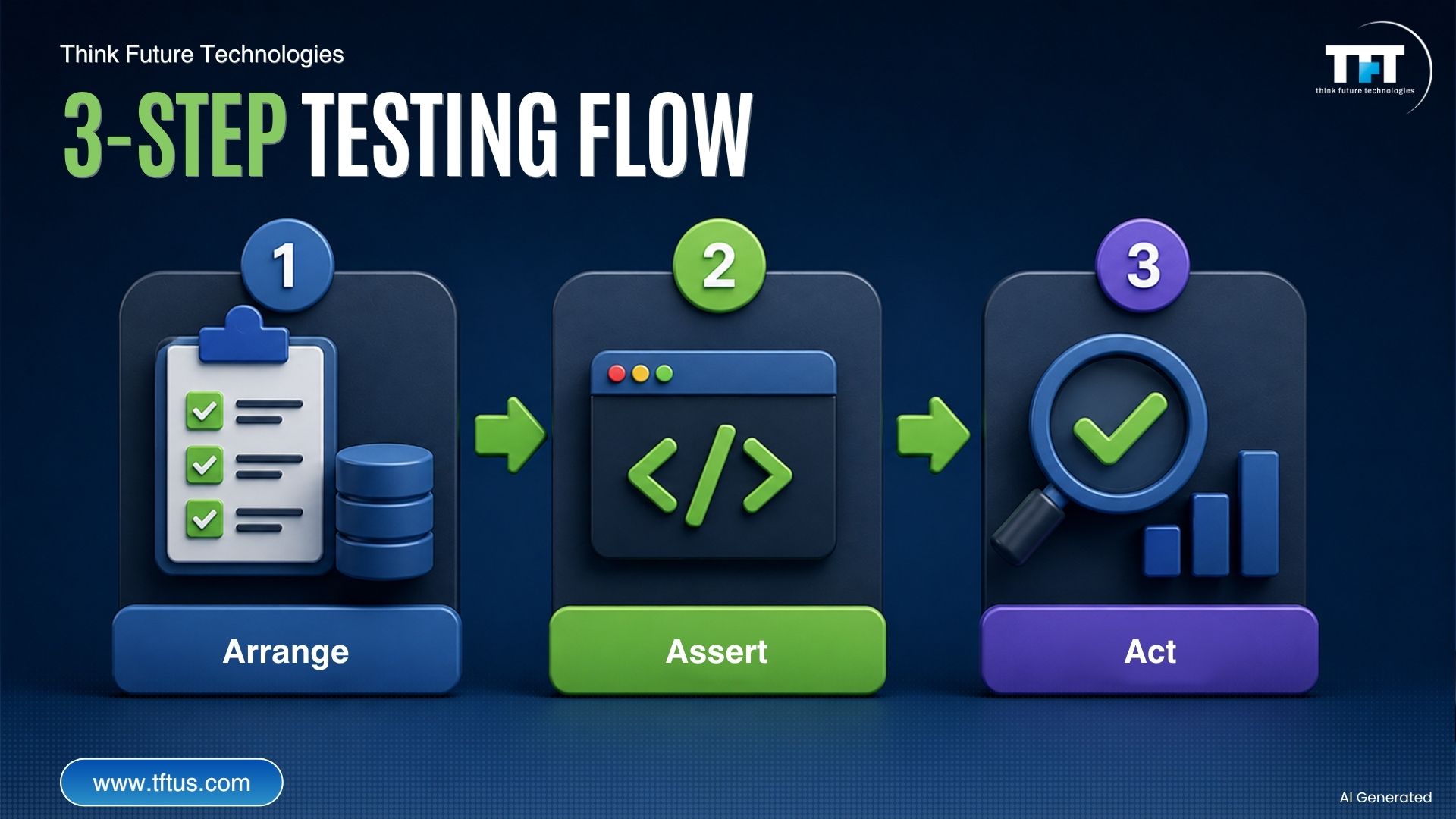
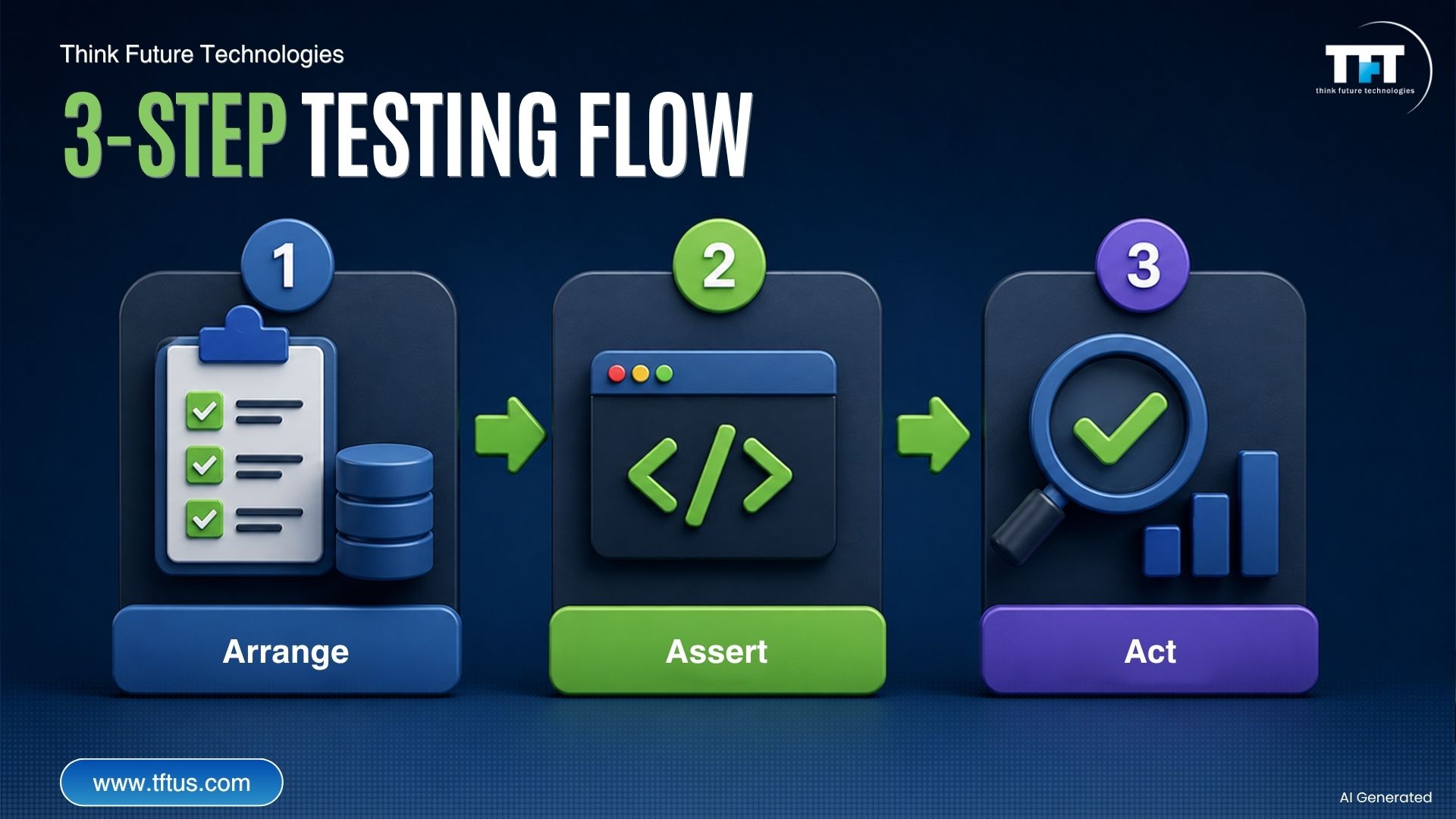
The Three Steps to the Unit Testing Process
Step 1: Arrange
The arrangement step sets up everything needed for the test: test data, objects, and environment, ensuring a clean start.Step 2: Act
The act step is when you execute the code being tested. First, provide your function or method with the test inputs. Then, invoke it to see how it performs. This step focuses on carrying out the test action.Step 3: Assert
In the assert phase, verify results. Assert that outcomes match expectations—if not, you’ve found a bug.
Types of Unit Testing
Manual Unit Testing (Manual Testing)
Manual unit testing is when developers run tests manually. The developer simply provides some input and checks the output, which is fine for simple components or exploratory testing.
Manual unit testing requires much more time and effort than automated testing and contains an opportunity for human error. However, it can also be beneficial in situations where automation is not an option or for smaller projects.
Automated Unit Testing (Automated Testing)
Automation is preferred, running unit tests efficiently at scale. Automated frameworks execute test suites—this is the modern standard.
Automated tests run very quickly and reliably; they do not make human errors. You can run your tests hundreds of times a day without extra effort, making it ideal for a continuous integration pipeline.
3 Unit Testing Strategies
1. Test-Driven Development (TDD)
Test-Driven Development turns the original approach on its head. You create tests before implementing the actual code. Your tests validate that the code satisfies the original requirements from the outset.
TDD is a methodology that uses test cases to determine what the code should produce based on the expected functionality, ensuring it satisfies the original requirements.
TDD yields cleaner, well-organized code and automatically creates a test suite.
2. Behavior-Driven Development (BDD)
Behavior-Driven Development tests were produced by behavior, rather than functional values. Tests are written in natural language, making them more accessible to non-technical team members.
BDD bridges developers and business teams. Everyone understands tests, improving communication, and clarifying design.
3. Mocking and Stubbing
Mocking and stubbing replace dependencies inside the application with controlled versions. Mocking and stubbing isolate the unit under test, allowing it to be tested without worrying about accessing a database, a REST API, or another external system.
Mocks track dependency interactions; stubs provide programmed responses. These isolated tests evaluate only the target unit.
What are some Best Practices in Unit Testing ?
Write Tests During Development
It is recommended to write unit tests while you develop software, rather than afterward. This helps you identify bugs early, determine whether your code is testable, and, in the long run, optimize your testing approach. Not Use Logic in TestsKeep your unit tests as simplistic as possible. This means they should not have logical conditions. Unit tests must only verify expected behavior and not the implementation. If you must include some logic, break your tests into simpler, smaller tests.
Tests Must Not Depend on Each Other
Tests must run independently and in any order. Avoid interdependent tests to prevent future debugging issues.Use Meaningful Test Names
Your test names should accurately describe the behavior that is being verified. They will serve as documentation for your code. Descriptive test names will help other developers understand what each test is verifying almost immediately.Test as Much Coverage as Possible
You want to test as much code as possible. You should aim for a coverage percentage that is generally considered acceptable (70 to 80%+), noting that higher coverage equates to a higher probability of catching bugs in the application; just don’t measure your tests by the number.Use Mocks and Stubs Wisely
Mocks and stubs are a great way to separate out a unit from its dependencies. This provides tests that run fast and reliably. However, don’t go overboard with mocks and stubs; during testing, some integration is still needed.Run Tests in CI/CD Pipelines
Integrate unit tests into your CI pipeline so they run automatically on every commit. This quickly catches new issues.In fact, nearly 45% of software development teams now implement continuous unit testing practices as part of their development workflows, highlighting its growing role in modern CI/CD pipelines (Source: Coursera Industry Analysis, 2025).
Case Study: Reducing Testing Time with Automation
NeoSoft significantly improved its testing efficiency by implementing automated unit testing frameworks such as JUnit and NUnit within its QA workflows.
Previously, testing cycles required weeks of manual effort. After adopting automated unit testing, the organization reduced testing timelines from weeks to just hours while also improving test coverage and early bug detection.
This transformation enabled faster feedback for developers and prevented defects from propagating into later stages of development.
(Source: NeoSoft Case Study)
Unit Testing vs Other Testing Types
Unit Testing vs Integration Testing
Unit testing focuses on verifying the behavior of isolated code components. Integration testing focuses on the interaction between two or more code units and whether they function correctly. Unit tests are usually faster and more focused than integration tests. Integration tests discover any errors in the interaction between components.
Unit Testing vs Regression Testing
Unit testing verifies that a specific unit performs its intended functions. Regression testing ensures that new or altered code does not break the software’s functionality. These have different purposes, and both are important elements of a testing strategy.
3 Unit Testing Techniques
Here are the 3 unit testing strategies:
Structural Testing (White Box Testing)
Structured testing evaluates your code structure. It is testing that a developer with implementation knowledge will undertake. This verifies how the system carries out the task internally.This testing requires a thorough knowledge of the code structure. It evaluates code paths, decision points, and loops to execute all paths of a given code.
Functional Testing
Functional testing verifies that features perform as intended. You provide a value and make sure the value produced is what you expect. This method looks at what the code is doing, not how it is doing it.Functional tests validate systems against business requirements. It ensures the code does what it says it will do. This gives you confidence that the features you have executed will work as expected.
Error-Based Testing
Error-based testing deliberately introduces errors into the code to ensure that tests actually catch failures. Examples of this testing method include mutation testing and fault seeding. The purpose of error-based testing is to simply verify that your tests are actually testing the code to ensure it is functioning.Using historical test data can help determine which tests are most important to the process. This allows you to focus on the areas with the most experience and most impact on the testing process.

Top 8 Unit Testing Tools
Here are the top 8 unit testing tools:
JUnit
JUnit is a widely used unit-testing framework for Java applications. It utilizes annotations (such as @Test, @Before, @After, @BeforeClass, @AfterClass) that essentially wrap test logic and help organize setup and teardown concerns. It also has seamless integration with Java IDEs.
JUnit is very lightweight and the most widely used framework. The framework, when set correctly, provides excellent support for employing test-driven development. It has a minimal number of assertions and a limited test organization. When using advanced mocking, JUnit requires additional libraries such as Mockito.
NUnit
NUnit is a versatile and well-organized framework that handles any .NET language, including all versions of the .NET Framework. NUnit has parallelization support for improved performance. Tests can run in parallel, which significantly decreases the time of a test suite.
NUnit supports multiple assertions and test runners. NUnit works with all versions of the .NET runtime and across various platforms. The framework provides some advantages when testing complex situations. However, for a beginner, the learning curve is more advanced.
Mocha
Mocha is an advanced JavaScript testing framework for Node.js applications. Mocha has excellent support for asynchronous testing. Mocha supports multiple reporters and custom output options.
Mocha is highly flexible and recommended when testing in the Node.js environment. As Mocha is JavaScript-based, it integrates pretty seamlessly with other JavaScript testing libraries, regardless of the options preferred.
Jest
Jest is a widely used JavaScript testing framework, especially for React applications. It has advanced code coverage analysis features that help ensure all code paths are thoroughly tested. Jest comes with snapshot testing and built-in mocking capabilities.
Jest is quick and easy to get set up. It runs tests in parallel, which improves performance. Jest is intended for use with all front-end JavaScript frameworks and works well, though it may cause performance degradation when working with larger test suites.
xUnit.net
xUnit.net is a modern testing framework designed for .NET. It can run tests in parallel, resulting in faster output. xUnit.net can be extended with custom libraries.
xUnit.net is optimized for .NET development. It also provides theory testing for multiple inputs. However, NUnit is still more commonly used, resulting in less community support around xUnit.net.
TestNG
TestNG is a powerful and advanced Java testing framework. TestNG supports parallel execution and a number of annotations. It supports data-driven testing, testing with multiple data sets, and parameterized tests.
TestNG can integrate with a wide range of tools, including Jenkins and CI/CD pipelines. TestNG can be advantageous for testing larger-scale applications.
RSpec
RSpec is a behavior-driven development (BDD) framework for the Ruby programming language. It allows BDD-style testing to provide clarity and readability while enabling expressive syntax.
RSpec is designed specifically for Ruby developers. That’s a strength, as it’ll perform well in behavior-driven testing, but it’s likely going to be slower than other, simpler Ruby frameworks.
Pytest
Pytest provides a simple way for developers to write and run unit tests using regular Python assert statements. It relies on the concept of a fixture to control and manage the testing environment. It is also highly extensible due to the number of supported plugins.
Pytest is very scalable and flexible, with a readable syntax and structure that make it easy to author tests.
5 Major Challenges in Unit Testing
The following are the five major challenges in unit testing:
Dependency Management
Testing units with dependencies on external systems is challenging. Testing in isolation is complicated by the need to mock complex systems. Mocking is a time and skill-intensive process that is all too easy to get wrong.Mocking Complexity
Mocking is time-consuming, and accurate mocks must behave exactly like the real systems they are mocking. If they do not, you are going to have a false sense of security and, as a result, miss additional bugs in testing.Flaky Tests
Tests can be flaky, meaning they work sometimes but not others. Flakiness arises from environmental differences that can cause intermittent test failures. Oftentimes, tests are poorly designed and unreliable, leaving developers frustrated when running them.Time Invested
Writing a good set of unit tests takes a good amount of time. When it comes to legacy code, testing is even harder. Teams must find the right balance between time spent testing and time spent developing features.Test Maintenance
As code changes (which it will), tests will need to be updated or removed if they are no longer relevant, as old tests become unwieldy to maintain over time, a big burden given larger projects, and especially if they are complicated.
How to Measure Unit Testing Success?
Code Coverage
Track the percentage of code that has tests written against it. You should strive for at least 70-80% code coverage. Code coverage should just be used in conjunction with quality measures.Code coverage alone does not guarantee good software quality. Although code coverage is important, you want to focus on meaningful tests, not simply numbers.
Pass Rate
Track how many tests pass versus fail. Healthy codebases contain tests that consistently pass. A failing test run often indicates a quality problem.Speed of Tests
Fast tests promote a culture of frequent testing, while slow test suites will discourage developers. Also, you will want to track execution time and regularly optimize test performance.Bug Detection
Track how many bugs are found by tests. The more effective your tests are, the more bugs you will find before production. For example, if your test suite identifies 96 bugs out of 100, this shows the value of utilizing tests.Developer Adoption
You want to track how often your teams, whether individual contributors or full teams, are writing tests. High developer adoption is a measure you want to see that indicates a high-quality testing culture. Low developer adoption could indicate process problems or tool problems.
Conclusion
In conclusion, unit testing is a foundation of software testing and is integral in providing reliable software. It identifies bugs at the earliest stage, improves code quality, and provides confidence when developing software.
Advancements in automation and AI are further accelerating unit testing, with industry research indicating that intelligent testing tools are helping reduce development time while improving overall software quality (Source: McKinsey & Company Analysis).
Regardless of the type of software you are developing, unit testing will add meaningful value. Apart from reducing the number and severity of bugs, unit testing enables faster, higher-quality software development. Just start small, develop a habit of writing tests, and see your code quality improve.