

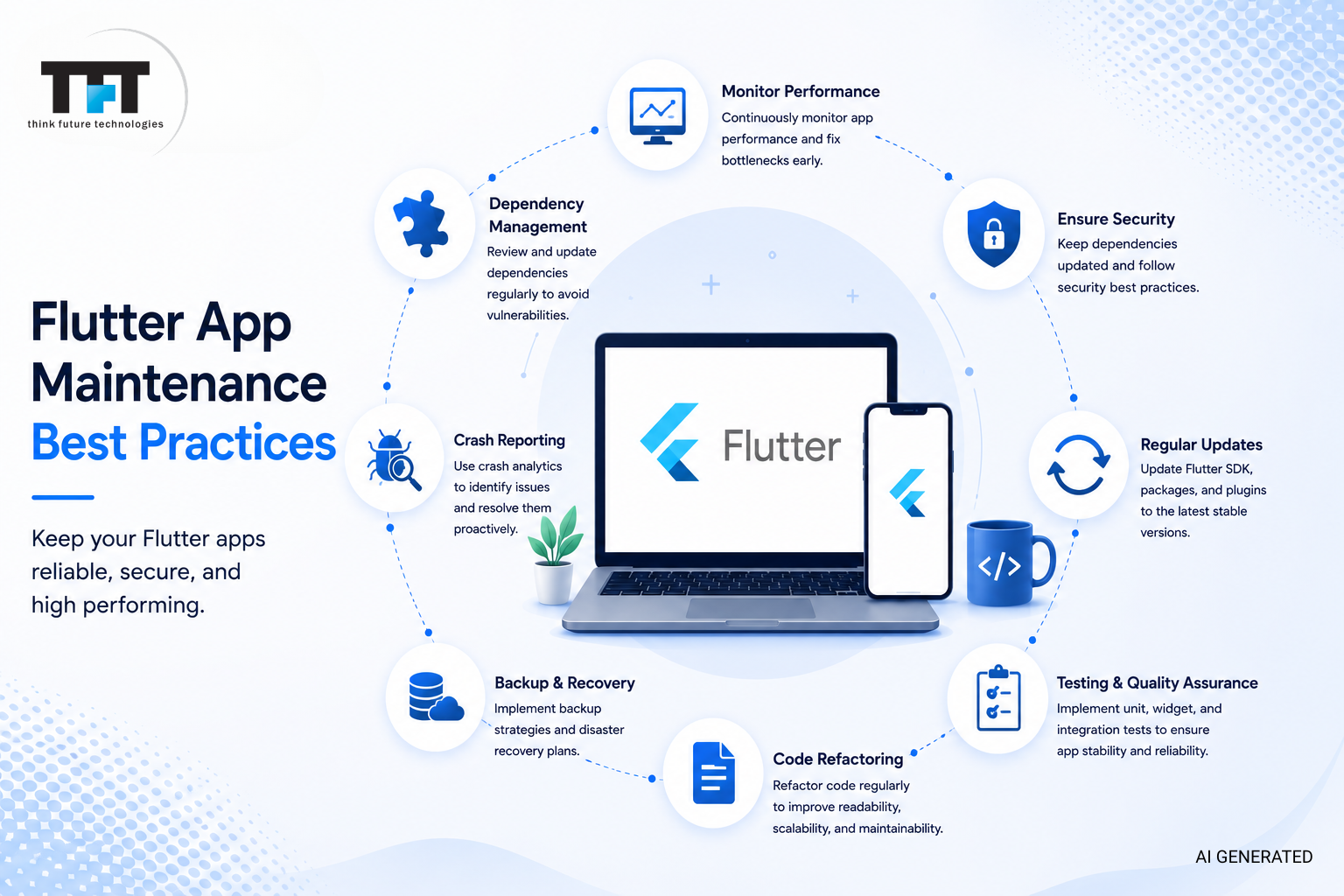
Key Takeaways
Flutter app maintenance is an operating expense averaging 15–20% of your original build cost per year — a figure consistent across US agency estimates — budget for it before launch, not after the first incident.
Budget realistically: US Flutter app maintenance runs about $3K–$15K/year for standard apps (15–20% of build cost), or $2K–$5K/month for a full-service US retainer versus $500–$1,500/month offshore.
Do these on day 1: wire up crash monitoring (Sentry or Firebase Crashlytics) and run a store-compliance audit — before any refactoring.
The correct maintenance priority order is monitoring → store compliance → OS compatibility → security → refactoring, not the reverse, which most teams default to.
What Flutter App Maintenance Actually Costs in the US
Product owners need a number first. Post-launch maintenance is an ongoing expense: OS updates, security patches, SDK upgrades, bug fixes, and performance optimization.
The US market has clear rate anchors; most articles skip — knowing them turns app maintenance from a vague worry into a line item you can plan and defend.
|
Model |
Typical US cost |
Best for |
|
Standard annual maintenance |
$3K–$15K/year (15–20% of build cost) |
Stable apps with steady usage |
|
Full-service US retainer |
$2K–$5K/month |
Revenue apps needing fast response |
|
Offshore retainer |
$500–$1,500/month |
Cost-sensitive, lower-urgency apps |
|
Break-fix (hourly) |
$150–$250/hr US, $30–$80/hr offshore |
Occasional fixes, no SLA |
What Comprehensive Maintenance Services Include
Use this scope table when evaluating retainer proposals. Comprehensive maintenance services that skip items below are worth less than their price — app maintenance services should cover the full lifecycle, not just reactive bug fixes. User-friendly services surface user feedback continuously, not only when crash rates spike.
|
Service item |
Frequency |
Est. hours/month |
|
Crash monitoring review + triage |
Weekly |
0.5–1 |
|
Dependency updates (minor/patch) |
Monthly |
2–4 |
|
Flutter/Dart SDK upgrade |
Quarterly |
4–8 |
|
Store-compliance audit (targetSdk, privacy labels) |
Quarterly |
1–2 |
|
Security patch review + TLS/storage audit |
Monthly |
1–2 |
|
Performance profiling (DevTools + Sentry) |
Monthly |
2–3 |
|
Bug triage and fixes from user feedback |
Ongoing |
8–20 |
|
New features roadmap from user feedback |
Quarterly+ |
Varies |
Day 1 Post-Launch Checklist: The Non-Negotiables
The day your Flutter app goes live, two tasks matter more than any refactor — both protect revenue and take only an afternoon.
Here, the app maintenance priority order matters: monitoring and store compliance come before code refactoring or new features work. Skipping them is the most common mistake — a critical aspect of keeping a new Flutter app healthy.
Set Up Crash Reporting and Error Tracking First
Apps without crash monitoring accumulate silent one-star reviews before the team knows there is a problem. Wire up Sentry or Firebase Crashlytics on day 1 — Sentry’s free tier covers most indie apps. These monitoring tools surface user-reported issues as structured crash logs, not vague complaints, so bug fixes start from real stack traces.
This is the highest-leverage maintenance task and the foundation of ongoing performance monitoring — it gives you the data and user feedback to fix issues fast.
Run a Store Compliance Audit
Check the app against current Google Play and App Store requirements immediately. Compliance gaps do not crash the app; they make it disappear. A quick audit of target SDK level, privacy declarations, and permissions on day 1 prevents the most expensive maintenance tasks later. Mobile operating systems change yearly, so it recurs.
Store Compliance Deadlines You Can’t Miss
Store compliance fails silently — no crash, no warning, just lost discoverability and revenue. These are the deadlines that keep a Flutter app running smoothly in stores.
Google Play: targetSdk 35 and Play Integrity
Apps not targeting API level 35 went invisible in Play Store search after August 31, 2025 — no crash, just lost discoverability. Track this in the Android 15 behavior changes, which also affect background work, TLS, and system UI. SafetyNet is deprecated too: apps relying on it face silent failures, so migrating to the Play Integrity API is now required.
Each Android release brings new devices and behaviors to test against. Keeping pace with the latest operating systems is ongoing work that directly affects whether the app remains responsive on new devices.
App Store: Apple Developer Program and Privacy
The Apple Developer Program costs $99/year, and a missed renewal immediately de-lists the app — no grace period, so set a calendar reminder.
iOS 18 continues Apple’s push toward privacy and accessibility, so review the iOS release notes each cycle and keep data-safety declarations accurate. Inaccurate privacy labels are a common rejection cause during the deployment process; a rejected build disrupts the development process and delays every fix.
Security and US Data Compliance
App security is inseparable from Flutter app maintenance. Data encryption and secure communication protocols protect sensitive data — treat them as a maintenance deliverable, not a one-time setup.
Android 15 restricts older TLS behavior for modern targets, making these security patches high-priority maintenance tasks.
CCPA Applicability and Tooling
CCPA applies — per the California AG’s CCPA guidance — if your app meets any one of: annual gross revenue above $25M; buying, selling, or sharing personal data of 100,000 or more California consumers per year; or deriving 50% or more of annual revenue from selling consumer personal data.
Security and Compliance Mini-Checklist
- Run the CCPA threshold test: revenue, consumer-count, and data-sale-percentage.
- Audit every store’s permission — each must have a matching privacy disclosure.
- Confirm flutter_secure_storage is used for all tokens, keys, and credentials.
- Verify HTTPS everywhere; add certificate pinning for payment and authentication flows.
- Complete the Play Console data-safety form: map each data type → purpose → third-party sharing.
- Keep up with CCPA, GDPR (General Data Protection Regulation), and accessibility rules; fold secure-coding guidelines into code reviews and CI checks so new features do not introduce regressions.
Flutter SDK Upgrade Cadence and What Breaks
Flutter ships stable releases roughly quarterly. Staying current unlocks engine performance enhancements and bug fixes. These performance enhancements are free wins, and they keep the app compatible with the latest operating systems.
But each major jump can break the build, so upgrades need a process rather than a leap of faith. The most common 2026 breakage is the toolchain: Flutter 3.38 requires Java 17, Gradle 8.14, and Kotlin Gradle Plugin 2.2.20 — see the Flutter release notes before each upgrade.
Upgrading without matching these produces cryptic Android build failures that stall the whole development process.
Deprecated widgets bite too: the FlatButton→TextButton migration and similar API removals mean older code stops compiling on new SDKs. The fix is discipline. Continually building with the latest stable Flutter and Dart leverages engine performance updates and keeps the gap small, so each upgrade stays a four-to-eight-hour task, not a $6K–$20K emergency. Keeping the version gap small removes the most common upgrade pain points, keeps app development costs predictable, and prevents the app development debt that compounds with every skipped version.
Safe Dependency and SDK Upgrades
Follow upgrade best practices so it never becomes random or risky:
- Create a dedicated upgrade branch in your version control system.
- Run flutter pub outdated to see what moved.
- Upgrade in small batches and review each changelog.
- Run CI and thorough testing on the branch.
- Validate critical flows manually on real devices, not just emulators.
- Document decisions when replacing libraries or removing deprecated APIs.
Cautionary example: A fintech Flutter team skipped two versions and jumped from 2.10 directly to 3.7. Their local machines and CI runner both had Java 17, so builds passed — but the production Android build bot was still on Java 8. The failure appeared on release day as a cryptic Gradle error no one recognised. Fourteen hours later, after tracing the Java mismatch, updating CI configuration, and rerunning the full regression suite, the release shipped. The fix: pin the Java version explicitly in CI (java-version: ’17’ in the workflow), and always upgrade Flutter one stable version at a time.
Dependency Hygiene and Version Management
Dependencies rot faster than code. Keeping your Flutter app’s dependencies current means regularly updating the Flutter SDK and packages to their latest stable versions — essential for a healthy, secure codebase.
Create a monthly or quarterly checklist to review Flutter, Dart, and major packages. Tie it to your version control system so every bump is reviewed like any other code change.
Lock dependency versions in pubspec.yaml to prevent breaking changes from future updates, keeping builds consistent across development environments and CI/CD pipelines.
Pinning trades a little freshness for a lot of predictability — the right tradeoff for production. When adding third-party packages, check the pub.dev scoring criteria before adopting: over 500 pub points, published within the last six months, a popularity score above 80%, and at least 90 likes. Every dependency that misses these marks is a future obligation when updating dependencies.
Fork vs. Replace: Decision Tree for Stale Packages
When a dependency goes stale: if it has over 500 weekly downloads and the last commit is under 12 months old, open an issue and offer a pull request — most maintainers respond. If it has been abandoned for over 12 months with fewer than 50 open issues, fork it and own the patch internally. If there are over 200 open issues, no recent commits, and no active maintainer, replace it entirely — the long-term version control debt of carrying a dead package costs more in reduced user satisfaction and migration pain than acting decisively.
Designing a Maintainable Flutter Architecture
Maintaining a Flutter app requires architectural discipline and smart UI rendering. A clear structure makes maintenance tasks easier before the first production issue — in Flutter development, the architecture chosen early is the cheapest insurance against future maintenance costs and ongoing app development complexity.
- Use clear layers: presentation, business logic, and data.
- Following architecture best practices, choose MVVM or Clean Architecture, so bug fixes stay localized, and you optimize performance without touching unrelated files.
- Group folders by feature — feature-first folders under lib/ such as features/auth/ and features/payments/ — to avoid chaotic file trees as the code grows.
- Keep platform channels, configuration, third-party packages, and SDK wrappers in dedicated modules.
- Centralize routing, theming, dependency injection, and shared ui components.
Modular architecture improves organization and scalability, making the app easier to adapt as requirements change.
It also supports future-proofing: shipping new features and ensuring compatibility with upcoming operating systems get easier when responsibilities are isolated. The official Flutter architecture guide documents this layered approach.
MVVM vs Clean Architecture: Maintenance Trade-offs
|
Dimension |
MVVM |
Clean Architecture |
|
Test surface |
ViewModel + Model layer |
Use cases + Repositories (each isolated) |
|
Onboarding cost |
Low — familiar to most Flutter devs |
Higher — more abstraction layers to learn |
|
Refactor effort |
Medium — changes can ripple across ViewModels |
Lower — changes stay in one layer |
|
Bug isolation |
Good for simpler apps |
Strong for complex domain logic |
|
Best for |
Apps under 15 screens, 1–3 devs |
Apps 15+ screens, 4+ devs, regulated domains |
Separating UI from Business Logic
Mixing ui code with complex logic makes testing harder and raises the chance that a small change breaks the app’s functionality. Keep build methods pure — no heavy computation in build(), return only the UI. A core best practice is to standardize state management on one well-supported approach (Bloc, Riverpod, or Provider) and use it consistently across the development team.
Move validation, API orchestration, and business rules into services, repositories, or use cases.
This makes bug fixes safer and lets unit tests focus on business logic without rendering the widget tree. It also improves profiling of your Flutter app’s performance, because you measure the logic layer separately from UI rendering. Immutable data models — aided by a package like freezed — keep state changes predictable.
Before/after profiling example: Moving a list-sort and filter algorithm from build() into a ViewModel reduced average frame build time from 18ms to 4ms on a 1,000-item feed screen — safely below the 16ms budget. Flutter DevTools’ Timeline view identified the problem: filter by Build events over 8ms, locate the offending widget, and extract the computation. The refactor took 45 minutes; the performance optimization was permanent.
Code Quality, Refactoring, and Reviews for Long-Term Health
Maintenance quality comes from everyday habits, not rare rewrites. Code readability, predictable patterns, and version control discipline keep a Flutter app running smoothly over time. A clean version control history of your source code makes regressions easier to trace.
Five Custom Lint Rules Worth Enabling
Apply code-quality best practices: beyond dart analyze, add these five rules to analysis_options.yaml to catch the maintenance anti-patterns the default ruleset misses:
- avoid_print: true — catches debug print statements that reach production builds.
- prefer_const_constructors: true — enforces const usage so Flutter can optimize and reuse widgets across rebuilds.
- avoid_dynamic_calls: true — prevents runtime type errors from untyped dynamic references.
- require_trailing_commas: true — enforces trailing commas in widget parameters, producing cleaner diffs and reducing code review noise.
- unawaited_futures: true — catches fire-and-forget async calls that silently swallow errors.
Minimal Architecture Decision Record (ADR) template — one page per decision keeps institutional knowledge intact and helps new developers ramp up faster:
# ADR-001: [Decision Title]
Date: YYYY-MM-DD
Status: Accepted | Deprecated | Superseded by ADR-XXX
Context: [The problem or constraint requiring a decision]
Decision: [What was decided and the key reason]
Consequences: [Trade-offs, follow-up tasks, risks accepted]
Practical Code Refactoring Routines
Code refactoring should not change behavior; it prepares the Flutter app for growth while preserving existing functionality, surfaces performance issues early, and leaves room for performance optimization.
- Extract large screens into smaller, reusable widgets.
- Simplify large methods and remove dead code.
- Unify duplicated logic.
- Break down widgets so only the smallest necessary subtree rebuilds when state changes.
- Remove expensive rendering patterns when they harm app performance.
Running Effective Code Reviews
Code reviews should improve maintainability, not just formatting. Each pull request should include tests for new logic and regression coverage for bug fixes — these are best practices that compound over time into a stable, low-defect release cadence. Reviewers should look for clear separation of concerns, predictable state management, minimal performance impact, secure handling of sensitive data, and alignment with internal best practices. Track common findings and document them as essential practices for the development team and for Flutter development — reducing repeated mistakes across everyday Flutter development and future Flutter development.
Testing Strategy and Continuous Integration for Stable Releases
Automated testing and continuous integration are the backbone of reliable app maintenance services, keeping the app reliable and ensuring the app remains reliable even when teams ship minor updates, dependency upgrades, or urgent fixes. Strong quality assurance turns fixing bugs into a routine activity, not a gamble. That suite should span all three levels — unit, widget, and integration — to verify the app works as expected and catch issues before production.
Building a Robust Flutter Test Suite
Following testing best practices, prioritize coverage where failures are expensive: authentication and session handling, payments and subscriptions, offline flows and synchronization, navigation and onboarding, and API error states.
Mock network and database layers to keep automated tests fast and deterministic, and update tests when changing business logic, schemas, or user interactions so silent breakages do not reach users. A comprehensive suite spans all three test levels, with regression tests added before fixing bugs in high-risk areas.
Configuring CI/CD Pipelines for Flutter in 2026
CI tools such as GitHub Actions, GitLab CI, Bitrise, and Codemagic run automated tests and static analysis on every commit. A practical pipeline caches dependencies, runs formatting and dart analyze, runs unit and widget tests, runs integration tests for critical flows, builds release artifacts, and adds basic security and launch-time checks.
Codemagic’s free tier covers small teams; GitHub Actions bills by the minute. Set 80% line coverage for core logic files and 70% overall as the minimum — CI should block merges when automated tests fail or coverage drops below those numbers.
Minimal GitHub Actions workflow for Flutter (continuous integration on every commit):
name: Flutter CI
on: [push, pull_request]
jobs:
test:
runs-on: ubuntu-latest
steps:
– uses: actions/checkout@v4
– uses: subosito/flutter-action@v2
with:
flutter-version: ‘3.38.0’
channel: ‘stable’
java-version: ’17’
– run: flutter pub get
– run: flutter analyze
– run: flutter test –coverage
– name: Enforce 70% coverage floor
run: |
PCT=$(lcov –summary coverage/lcov.info 2>&1 | grep “lines” | awk ‘{print $2}’ | tr -d ‘%’)
[ $(echo “$PCT >= 70” | bc) -eq 1 ] || exit 1
Performance Monitoring and Optimization in Production
App performance affects ratings, retention, and revenue — users only notice whether the app remains responsive. Use Flutter DevTools in development and production performance monitoring tools such as Firebase Performance Monitoring, Crashlytics, and Sentry to track trace times and API lags. Track CPU usage, memory usage, network latency, cold start time, and dropped frames.
Catch performance issues before users do: set budgets so a regression triggers action, and treat performance optimization as a continuous loop. The goal: the app remains responsive on every device, release after release.
Optimizing Hot Paths and Widget Trees
Start with the screens users open most — dashboards, feeds, search, checkout, messaging. Use const constructors wherever possible, so Flutter reuses widgets and skips rebuilds; isolate fast-changing widgets.
Background processing is recommended for any operation longer than 8ms to avoid blocking the main UI thread — move parsing, data encryption, and compression to background isolates. Minimizing expensive operations like heavy BoxShadow and Opacity layers keeps the GPU fast and helps optimize performance across the app.
Handling Images, Lists, and Local Storage
Media-heavy and list-heavy screens are common regression sources. Serve appropriately sized images and cache them rather than loading raw high-resolution files.
Use ListView.builder and GridView.builder for large lists so only visible items are built, and paginate instead of loading whole datasets. Caching frequently accessed data locally cuts network calls and improves load times. Profile SQLite, Hive, or Isar as data grows, since indexes and migrations need maintenance too.
In-House vs. Retainer: A Decision Framework
The core decision is who does the work, and the math is simple. An in-house developer absorbs labor cost but adds $600–$24K/year in tooling; a US retainer is $2K–$5K/month with an SLA; offshore retainers are $500–$1,500/month with more coordination.
Break-even rule: if the app needs fewer than roughly 20 maintenance hours a month with no urgent SLA, break-fix or an offshore retainer usually wins. If it generates revenue and downtime is costly, a US retainer’s faster response pays for itself. A development team already on staff tilts toward in-house if someone owns the upgrade calendar and regular maintenance cadence below.
When to Bring in External Maintenance Services
Consider external comprehensive maintenance services when bug backlogs grow, incidents become frequent, releases slip, or upgrades fall behind. The right partner helps you ship new features faster, fix issues, protect app security, and keep your Flutter app running smoothly as platforms change — especially for 24/7 ongoing monitoring or a complex multi-version migration that would stall internal work.
A 12-Month Flutter Maintenance Calendar
The system most teams need is a cadence: regular maintenance becomes manageable when scheduled, and the app stays relevant without surprise crises.
This regular maintenance cadence keeps the product user-friendly and reliable: small, frequent improvements add up to a smooth user experience and measurably higher user satisfaction.
- Weekly: triage crash reports, review monitoring dashboards and user feedback, ship small bug fixes from user feedback.
- Monthly: run Flutter pub outdated, apply minor dependency updates, review app performance, user feedback, and analytics.
- Quarterly: upgrade to the latest stable Flutter and Dart, run a security and dependency audit, and refactor one high-friction area.
- Annually: renew the Apple Developer Program, review store-compliance targets and OS support, plan major new features, and reassess your maintenance budget and model.
Organizing Maintenance Work: Process and Metrics
Successful Flutter app maintenance depends on ownership, not only technical skill. Use Jira, GitHub Issues, or a similar tracker to log critical bugs, technical debt, performance work, and infrastructure improvements.
Define SLAs for fixing bugs: a critical crash fixed within 24–48 hours keeps the app running smoothly.
Build a roadmap balancing new features against ongoing maintenance, refactoring, and upgrades, since every feature adds future app development load.
Reserve 20–30% of each sprint for maintenance — so code changes near deadlines never get rushed — this is how a Flutter app stays relevant while improving,
Frequently Asked Questions
How often should I schedule maintenance for a production Flutter app?
Minor maintenance — bug triage, log review, small fixes — should happen weekly; dependency and SDK reviews monthly or quarterly. High-traffic or regulated apps need stricter schedules, with checks tied to every release. Align the cadence with campaigns, seasonal traffic, or major business events to avoid downtime.
What is the minimum testing I need before each release?
At minimum, run automated unit tests for business logic, a small set of critical integration tests, and smoke tests on real devices. Include must-pass scenarios such as login, navigation, purchases, and offline recovery. Apps handling payments, healthcare, or sensitive data should add deeper regression and security testing before store submission.
When should I refactor instead of just patching a bug?
Patch isolated problems when the fix is simple. Refactor when bugs repeat, code is hard to understand, or one fix touches many unrelated files. Use bug frequency, performance impact, and developer time as signals — if the same area keeps slowing maintenance, code refactoring beats another patch.
Can I maintain a large Flutter app with a very small team?
Yes, if the team relies on automation, strong automated tests, clear coding standards, documentation, and an efficient development workflow. Prioritize critical bug fixes, security updates, and high-impact performance optimization first — these are the best practices every small team should anchor to — then add new features and gradually improve architecture and documentation to reduce cognitive load. This is one practical advantage of cross-platform development: one Flutter codebase means a small team maintains both platforms at once — that efficiency extends to every Flutter app update and maintenance cycle.
How do I know if I need external app maintenance services?
Consider external app maintenance services when bug backlogs grow, incidents become frequent, releases slip, or upgrades are delayed. Support for 24/7 ongoing monitoring, advanced performance tuning, or complex migrations can also justify specialized partners. The right comprehensive maintenance services keep your app secure and running smoothly. Aditya Challa’s real-world Flutter testing guide covers how specialist partners approach CI and testing setup for production apps.

Leave a Reply