

Software testing is an essential component of any software development lifecycle. For many teams, this leads to the question, “How long does software testing take?” The answer is not straightforward; many variables may influence how long it takes to test software, ranging from days to months!
Understanding how long it will take to test your application influences how your team plans for testing and sets realistic expectations. All applications require some level of testing; however, each application’s scope and complexity dictate different testing requirements.
To illustrate, this blog outlines the key variables to consider when estimating testing duration and realistic timeframes for each project type.
The importance of testing continues to grow rapidly, with the global software testing market projected to reach nearly $100 billion by 2031, highlighting how critical testing has become in modern software development (Source: Mordor Intelligence).
Understanding Software Testing Basics
Testing durations vary widely across project types. Testing a small project may take only 2 days! Larger, more complex systems may take up to 6 months to properly test.
Complexity of Your Project
As a general rule, the more complex your project is, the longer it will take to test it. Take a simple mobile application, for example; just because it is small in size does not mean it will require extensive testing.
The number of features and workflows your application supports determines how long it takes to properly test. This is especially evident in large-scale industries, where complex software platforms can take years to fully test and validate before production (Source: McKinsey & Company).
Your Testing Team
The size and experience of your team will also affect the time required to test your application. An experienced team can test faster than an inexperienced team, so it is important to consider the level of experience of your Testing staff. Additionally, ensuring your Testing staff is of sufficient size will help reduce the time spent on Testing.
Testing Strategy
The way you approach testing will also directly influence how long it takes to properly test your application. While automated testing takes longer to set up than manual testing, for most repetitive test cases, manual testing takes less time.
For most projects, using a combination of both approaches will yield the best results.
Typical Timelines for Testing Applications
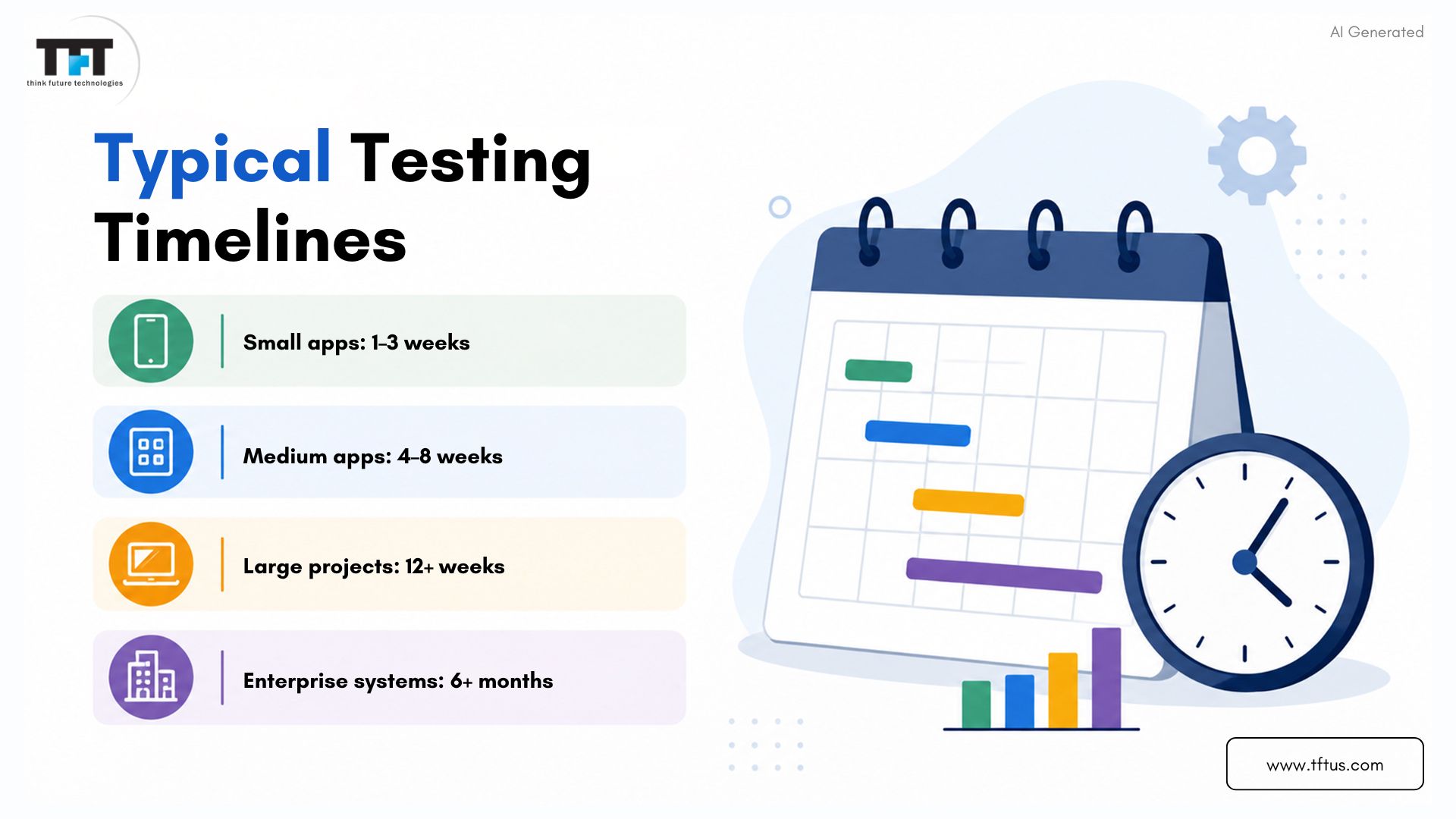
- Most small projects typically take between one and three weeks to complete Testing.
- Most medium-sized projects will typically require between four and eight weeks for Testing.
- Large enterprise projects may last longer than twelve weeks (depending on the level of complexity).
These timelines include all phases of testing, from test plan creation to test validation.
As mentioned earlier, the actual time required to test your application will depend on the variables listed above. Understanding the full scope of your project will help you create a realistic testing timeframe for your application.
Key Factors That Impact Testing Duration
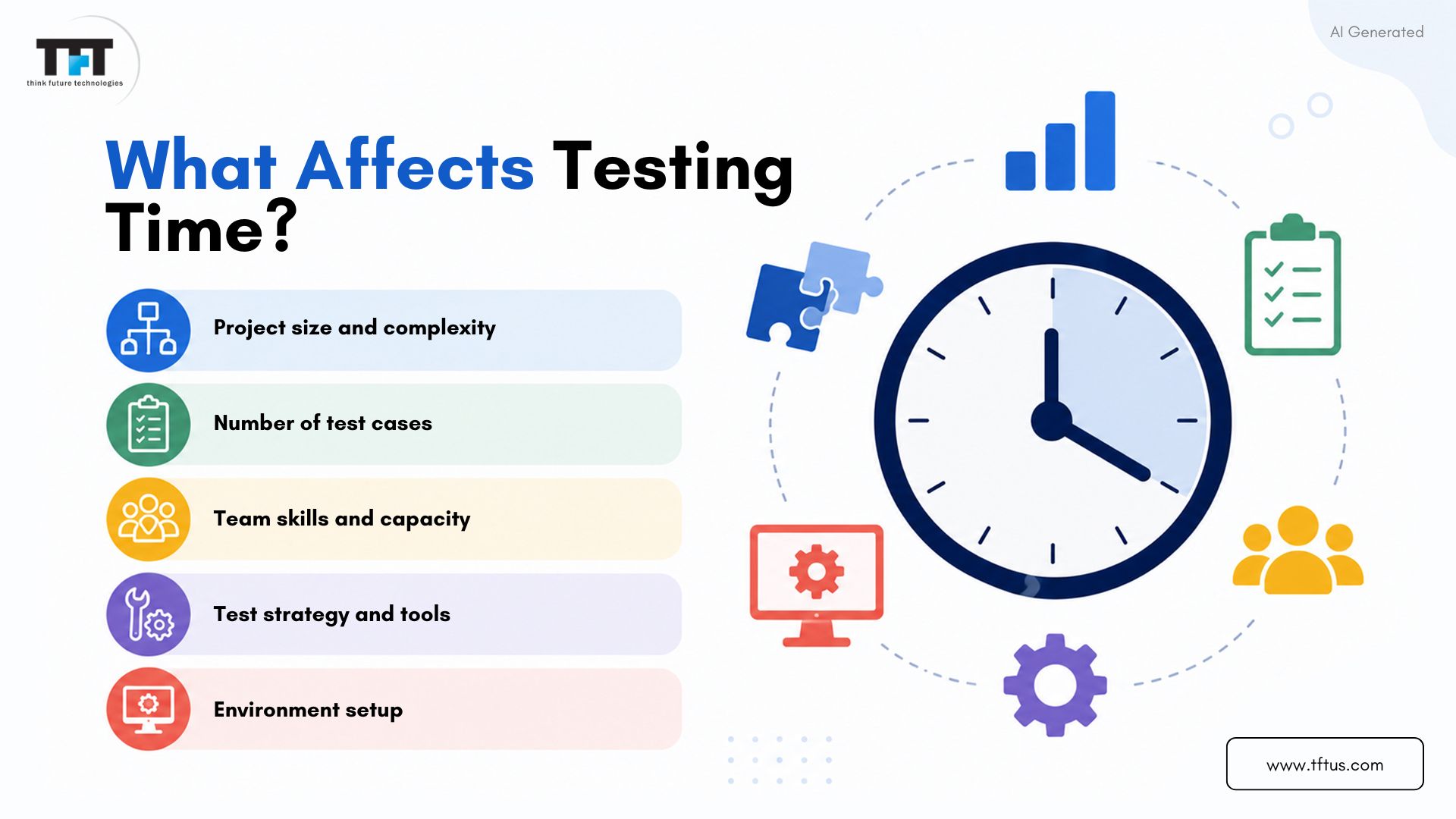
Project Complexity and Size
Large and complex projects require more test cases, increasing the total testing time. Additional features, user roles,s and technical integrations require further effort. Additionally, more complex logic requires a greater deal of test data and test scenarios.
Number of Test Cases Needed for Testing
Because projects with more features will require additional test cases covering normal and error scenarios, more time will be needed to create these cases before testing can begin.
Additionally, more accurate time estimates and test case execution will be possible when quality test cases are created.
Quality of Testing Team
Teams that have more skills and experience will perform testing services more quickly. Teams are divided into testers focused on functional testing and those focused on performance testing to maximize efficiency. Having strong working relationships between the QA (Quality Assurance) and Development teams will reduce delays.
Environment Setup
Setting up server, database, and network environments requires time. Most complex systems will require separate environments for both integration testing and system testing. Quality test data will help ensure that defects are not missed during testing.
6 Different Testing Types and Their Duration
1. Unit Testing
Unit tests provide a way to verify the correctness of small code components throughout software development. While writing code, developers run these tests to discover defects as early as possible. Most developers will spend anywhere from a few hours to several days on unit testing each code module (depending on its complexity).
Automated unit tests run faster and provide developers with instant feedback. This execution speed allows for quicker iterations during development.
It takes time to create automated unit tests, but they will ultimately reduce developers’ future workload. By performing unit tests earlier in the development cycle, developers can prevent major problems from emerging later.
2. Integration Testing
Integration testing primarily verifies how well different modules work together. The goal of integration testing is to ensure that data is accurately passed between interconnected modules. Integration testing helps identify issues that would not become apparent until integration.
The time required for integration testing varies with the number and complexity of the linkages between system modules. For example, it may take several days to perform integration testing across multiple modules with only a simple, direct relationship between them.
Conversely, it may take many weeks to perform integration testing between several modules with a complex hierarchical or multiple relationships. Each integration linkage has its own set of integration test cases.
3. System Testing
System testing verifies that the entire software product works correctly and meets all functional and non-functional requirements. During this phase, testers review the product’s performance and usability to ensure that all systems function as expected.
Generally, system testing is the longest phase in the software development lifecycle; small applications require 2 to 4 weeks to complete, while larger applications may take 6 to 12 weeks. This phase also confirms the product’s overall stability prior to user acceptance testing.
4. Acceptance Testing
It validates whether the software meets actual business expectations; users or stakeholders run acceptance tests against actual workflow processes to determine whether the software is ready for deployment.
Typically, this takes 1 to 3 weeks, depending on the project’s size and complexity. User feedback from acceptance testing often results in last-minute changes, and issues discovered during this phase can delay the go-live date.
5. Exploratory Testing
Exploratory testing allows users to learn about and test the software simultaneously; users can freely explore the application without relying on predefined test cases. Exploratory testing can identify issues that might otherwise be missed during formalized testing.
Exploratory testing is especially useful for identifying usability issues and unusual edge cases. Most test teams allocate approximately 10-20% of their testing resources to exploratory testing. Exploratory testing provides valuable information about how an application will perform under unexpected conditions.
6. Regression Testing
Regression testing verifies that older features continue to work correctly after modifications. Each new update or bug fix will, for sure, require a round of regression test approval.
For large applications, manual regression testing is time-consuming. It is, therefore, an area that can be effectively automated. The automated regression runs faster, saving the creator time, while the setup takes longer.
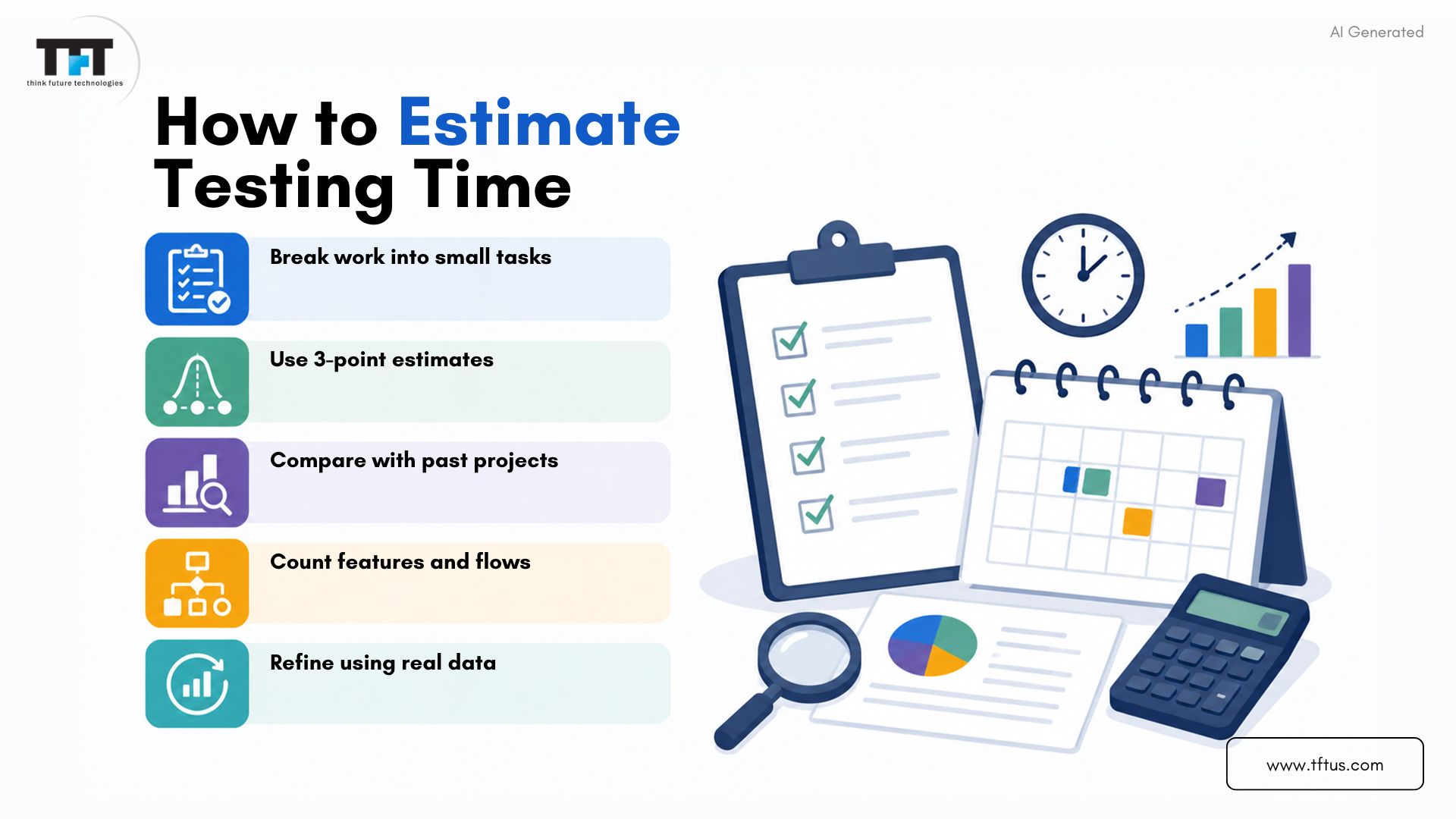
5 Testing Estimation Techniques
1. Work Breakdown Structure
A work breakdown structure breaks the overall testing process into clear, manageable tasks. This makes it easier to estimate the time for every activity. Teams list tasks like test design, environment setup, and execution. This helps identify dependencies and provides a clear plan for the team.
2. Three-Point Estimation Technique
This technique takes three figures for each task: best case, normal case, and worst case. It provides a more realistic estimate by accounting for uncertainty. The most likely estimate is given more weight, which is one way to help teams plan better in case of possible delays or challenges.
3. Analogous Estimation
Analogous estimation is the use of previous project experience to predict new timelines. If similar work has been done in the past, those numbers will serve as the basis for the new estimates. It is most effective when the new project is similar in size and complexity to the previous one. It also allows teams to make early estimates during project planning.
4. Functional Point Analysis
Functional point analysis determines effort based on what the software does, not on how it is built. Complexity ranks depend on the points each feature gets.
The total points multiplied by the team’s productivity determine the effort required. This method is suitable for large applications with many features.
5. Using Historical Data
Teams can generate precise estimates using historical data by recording time spent on previous testing tasks and analyzing patterns.
The statistical data illustrates the effort usually spent on the product’s features. It is a significant contributor to overall accuracy when paired with other estimation techniques.
Role of Manual and Automated Testing in Time Estimates
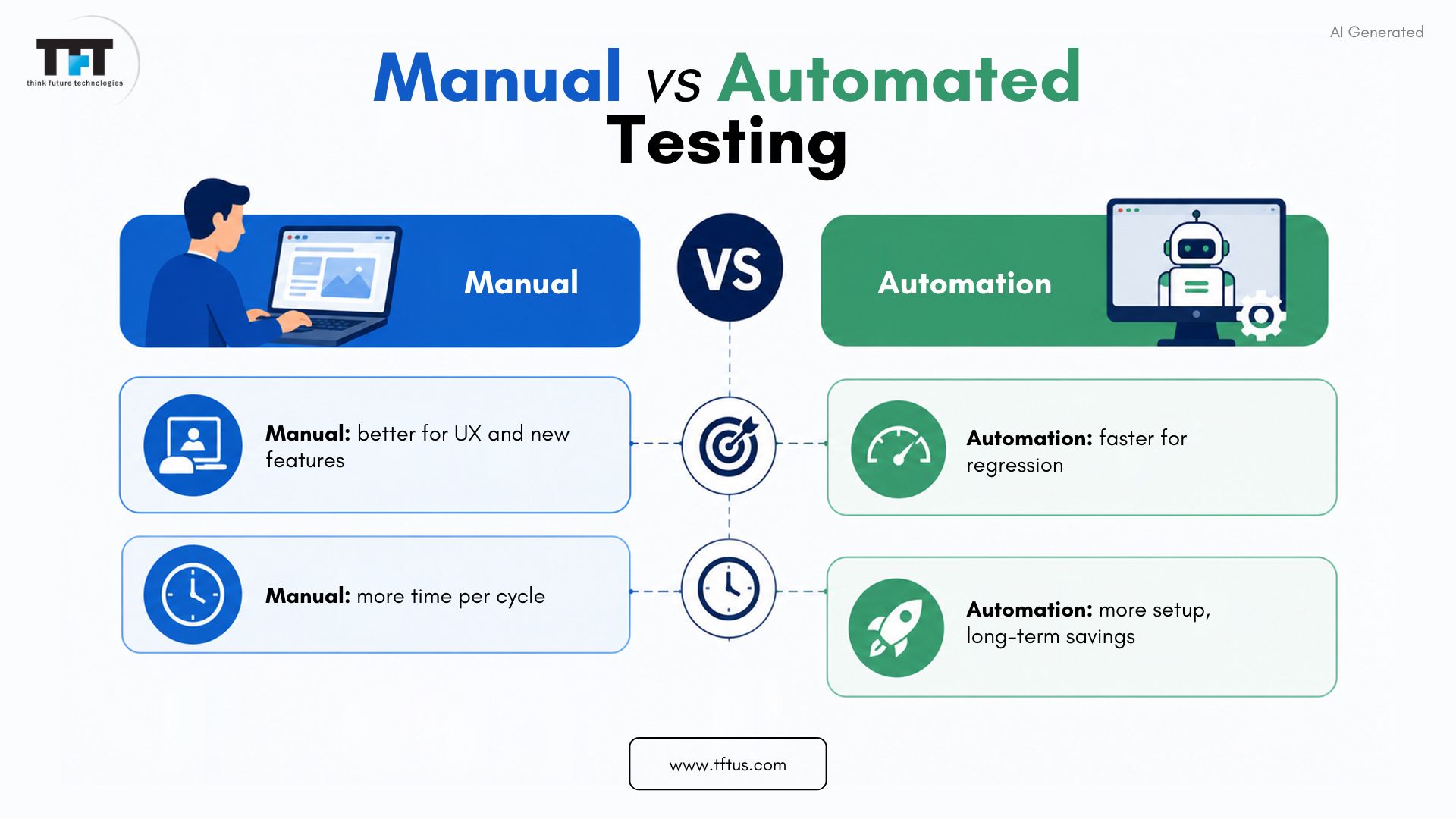
Manual testing is considered more time-consuming because testers must manually go through each step of the testing process. However, it is also considered the most suitable testing method when human judgment is an important factor. Moreover, it is also appropriate for the usability tests and visual checks.
On the other hand, automated testing is much quicker and involves the entire process of repetition. Therefore, it provides strong support for regression testing, ensuring that existing functionality is not disrupted. Some projects even go so far as to have their testing done in weeks because of the automation tool used.
The automated test not only enhances testing technically but also operationally. When computer-generated data is combined with automated testing, the qa team can run more tests in less time. This ultimately shortens the overall testing time.
Industry insights also show that integrating performance testing with CI/CD pipelines can significantly reduce scalability issues and improve testing efficiency in large applications (Source: McKinsey Tech Forward).
Case Study: From Manual Testing to AI-Driven Automation at Microsoft
To overcome testing delays caused by repetitive manual execution, teams at Microsoft Azure DevOps Blog transitioned to AI-assisted automation using Playwright and Azure DevOps. Their testing process initially relied heavily on manual testing, leading to a growing backlog and slower release cycles.
By integrating AI-generated test automation with tools such as Playwright and GitHub Copilot, they automated end-to-end testing workflows. This shift led to faster test creation, broader test coverage, and seamless integration with CI/CD pipelines—allowing hundreds of tests to run automatically.
As a result, the team significantly reduced manual effort and accelerated release cycles while maintaining high software quality.
Stages of Software Testing and Time Allocation
Test Planning Stage
The test planning stage determines the overall testing process. The testing group sets the testing limitations, modalities, schedules, and potential problems. A definite plan ensures that all parties involved are aware of the targets and their roles.
The team’s resource allocation, tool selection, and early identification of potential obstacles are also part of this phase. When a plan is in place, the development team and the QA department can avoid misunderstandings and eliminate duplicate work.
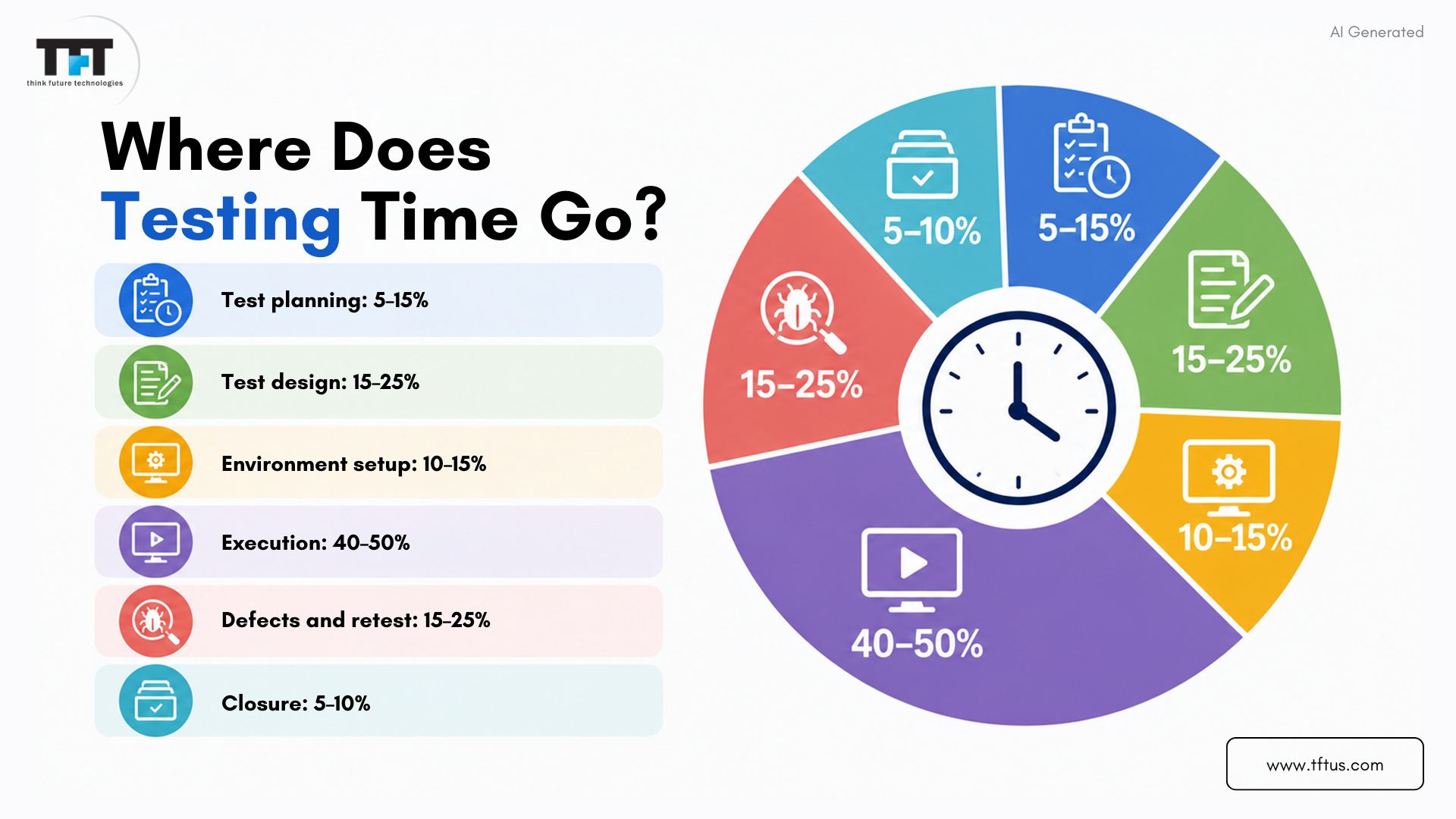
Time spent on test planning usually accounts for 5-15% of the total testing allocation, or approximately 1-2 weeks for a 10-week project.
Test Case Design and Writing
In this task, testers jot down comprehensive test cases that include straightforward steps, anticipated outcomes, and test data. Well-written test cases not only ensure but also guarantee consistency and complete coverage.
A few test cases are sufficient for simple features, while numerous scenarios may be required for complex modules. Good test documentation allows the QA team to execute steps more smoothly.
This stage of testing accounts for 15-25% of the total testing time and directly affects software quality.
Test Environment Setup
The test environment setup process involves configuring servers, databases, and integrations. The purpose is to have a production setup that closely matches the test setup.
The teams ensure that all dependencies are connected and working properly—APIs, networks, third-party tools. A small difference can delay execution.
The environment setup generally takes 10-15% of the total time, which is an effective way to eliminate issues that could have occurred during actual testing.
Test Execution Phase
In this department, testers run all intended test cases, and the actual results are compared with the expected results. Any difference is recorded as a defect.
Moreover, the testers track progress, capture proof, and retest failed cases after corrections have been made. This is the part of the testing that takes the majority of the time.
Test execution consumes 40-50% of total testing time, particularly in feature-rich or complex applications.
Defect Reporting and Retesting
When testers find bugs, they provide proper documentation with easy-to-follow steps, screenshots, and severity levels. After that, developers fix the problem, and testers check the fixes again.
This loop continues until all the major defects are fixed. The retesting confirms that the fix has not caused any new problems.
This phase generally accounts for 15-25% of the total testing time, depending on the code quality and the number of issues found.
Test Closure Activities
The closure of testing is the last step of the QA function. The teams make summary reports, review their valor figures, and document important learnings.
They state what was tested and what was not, and send the final results to stakeholders. The gained knowledge will improve future projects.
All activities related to closure will take up 5 to 10 percent of the testing time and will properly transfer the knowledge.
For a deeper understanding of how testing processes impact timelines in real-world projects, this discussion explores how QA strategies and engineering practices influence testing efficiency.
5 Factors That Speed Up Testing
1. Test Automation
Automation speeds up repetitive tasks, such as regression tests. When the scripts are ready, they run so much quicker than a manual test.
The automated suites can run overnight, allowing testers to focus on the most important parts. Setting up takes time and effort, but the long-term time savings are substantial. Most of the projects with frequent releases benefit from automation.
2. Clear Requirements and Documentation
Definite requirements help the test team get a clear picture of the expected behavior, without making assumptions. First-class documentation reduces the work required and accelerates test case creation.
If requirements are unclear, the teams will spend time on clarifying and rewriting test flows. Properly defined user stories and acceptance criteria speed up the whole QA process.
3. Experienced Testing Team
Good testers can find defects quickly and do it in the spots where they usually occur. They will also be able to develop better test cases. They are quite accurate in forecasting timelines and do not cause additional delays during test execution. A capable QA team reduces testing time and improves the product’s overall quality.
4. Parallel Testing
If the different modules are being tested together, the overall timeline is shortened. Different testers can simultaneously perform functional, performance, and compatibility tests. This calls for good organization and adequate staffing, but it significantly boosts the team’s effectiveness.
Testing in parallel is most effective when the modules are not interdependent.
5. Agile Testing Approach
In Agile testing, testing activities are carried out throughout the development cycle rather than at the end. Each sprint includes development and testing, which provides quick feedback and early bug detection.
Thus, it reduces the final testing burden and increases product readiness.
Real-World Time Estimates by Project Size
Small Projects
Small applications with basic functionalities generally require testing for 1-3 weeks. A small QA team focuses on key flows and main usability checks. Simple projects still get proper planning and full testing.
Medium Projects
Medium-sized applications require 4-8 weeks for testing due to the greater number of features and integrations. A group of 3-5 testers carries out functional, non-functional, and some automated testing. Proper structure and planning guarantee smooth execution at this level.
Large Projects
Large systems typically ask for 12-20+ weeks of testing. They include various testing types, extensive automation, and multiple test environments. Consistent monitoring and well-specified cycles keep the quality throughout the product.
Enterprise-Scale Projects
Enterprise platforms may take 6 months or more than a year to test due to their extensive scope. The teams check integrations, data migration, business flows, compliance, and security. Testing is typically done in several phases to ensure all critical areas are covered.
Conclusion
The duration of software testing can vary widely and depends on many factors, such as project size, complexity, team experience, and the testing strategy used. Proper planning and proven estimation techniques can help teams predict testing timelines with greater accuracy.
There is an axiom that says, “Cutting corners in testing can compromise software quality.” Proper time allocation ensures that software performance and user experience are consistent across the company’s system.
With the help of time tracking, process improvement, and gaining insights from each project, you will be able to enhance your testing estimation skills over time.

Leave a Reply