


React developers often encounter similar issues when building modern applications. User experience and performance issues in React mainly come from developers not updating state correctly or triggering too many component re-renders.
In this blog, we’ll discuss common React bugs, including examples, solutions, and best practices for creating stable applications. According to Statista (2025), 44.7% of developers use React.js, making it one of the most widely used frontend libraries today.
Common Mistakes React Developers Make
Even experienced developers make these mistakes:
- Using index as key in dynamic lists
- Overusing global state instead of local state
- Writing large, tightly coupled components
- Mixing business logic inside UI components
- Ignoring ESLint warnings for hooks
These mistakes often seem small, but they can lead to bigger issues in real applications. This quick video breaks down some of the most common React mistakes and how to avoid them.
Understanding React Bugs
React bugs may appear at different stages of development. Some are invisible until a specific event occurs during use, while others appear instantly as code errors.
Furthermore, many developers who switch from other technologies and frameworks face a learning curve because they are not familiar with React’s component rendering and state management mechanisms.
Most bugs React developers face can be traced to certain patterns. By recognizing these, developers can use proven solutions that work in most projects.
Studies show that most React bugs are caused by improper state management and poor component design, making them the primary sources of issues in React applications (ResearchGate, 2022).
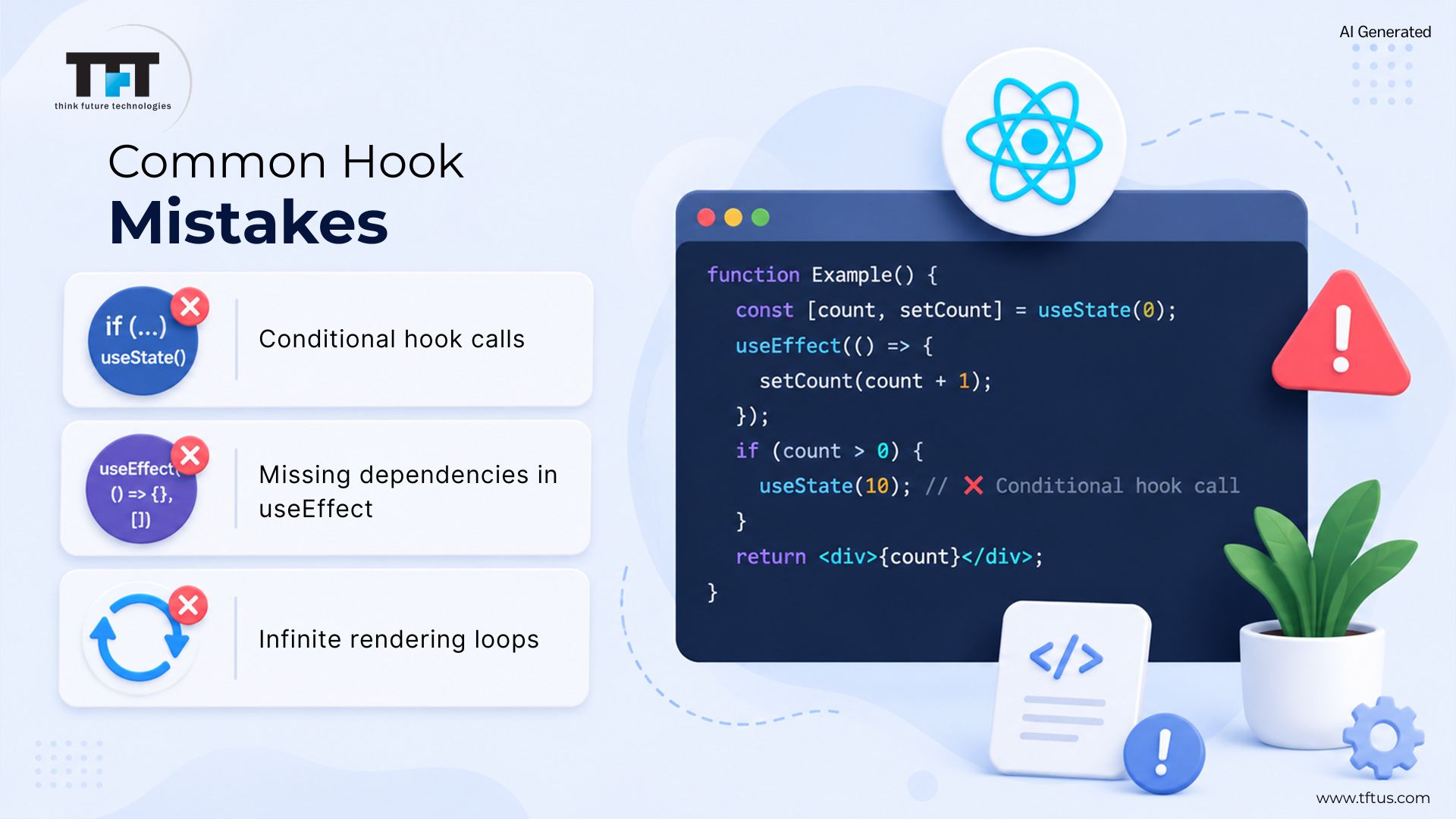
React Hook-Related Bugs
Called conditionally
React requires hooks to be called in the same sequence every time a component renders. Calling hooks inside conditional statements or loops changes this sequence, causing React to assign state or effects incorrectly. This mismatch can create unpredictable app behavior or errors.
Place React hooks at the top level of your component, not inside conditions or loops. This practice ensures that React calls hooks in the same sequence for every render. Do not conditionally invoke hooks—always invoke them unconditionally as the component starts.
Missing Dependencies in useEffect
If you leave out dependencies in the useEffect hook, the effect may not respond to changes in those omitted values. This means your effect might use outdated or incorrect state or data, leading to bugs that are difficult to trace.
Always list all relevant dependencies in the useEffect dependency array, and address any ESLint warnings about them. Understanding JavaScript closures can help you manage dependencies and avoid common bugs.
Infinite Loops in useEffect
If useEffect updates state without proper dependency control, it can trigger continuous updates. This creates an infinite loop, which may cause the app to freeze or crash.
Prevent infinite loops in useEffect by using stable values in the dependency array. Avoid defining new objects or functions inside useEffect, as this creates a new reference on each render and can cause the effect to retrigger.
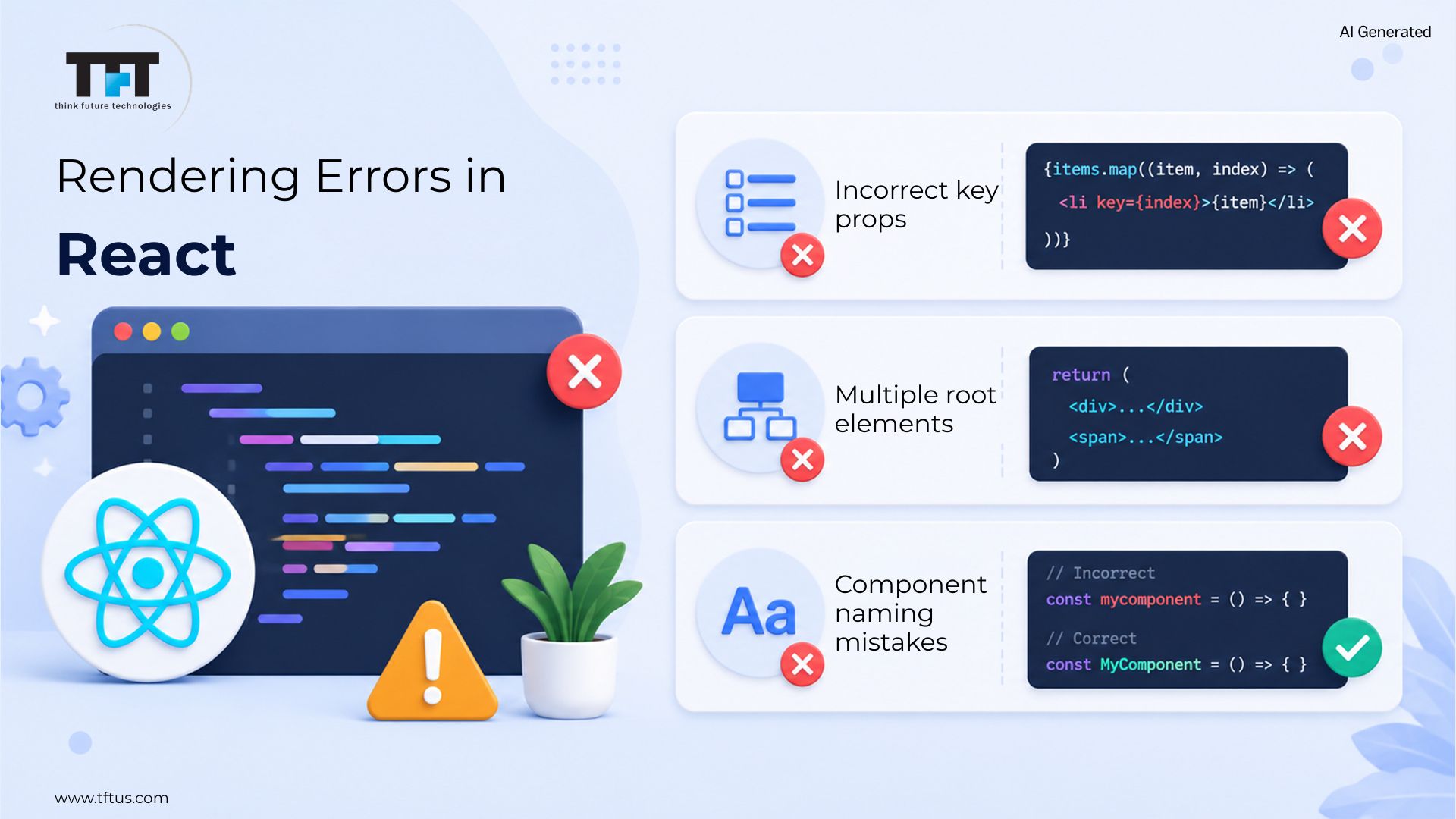
Component Render Issues
Incorrect Key Props
Keys allow React to distinguish between items in a list. Using an array index as a key may cause React to misidentify elements when items are modified or reordered. Instead, supply a unique identifier from your data to ensure consistent UI updates.
Stable keys matter more than convenience. Changing keys during edits confuses React. Always use unique data-based markers for each entry.
Adjacent JSX Elements Error
React components must return one root element. Returning multiple side-by-side elements will cause a compiler error. To fix this, use React Fragments to group elements without adding extra DOM nodes.
They therefore decrease the clutter in the HTML. These parts beautifully enclose structural elements. The concept of grouping elements within the JSX is usually good, and in most cases, this approach works.
Component Name Capitalization
The capitalization of a component’s name matters in React. If you use lowercase for a component name, React treats it as a built-in HTML element rather than your custom component. Use PascalCase (capitalize each word) for all custom component names to ensure React renders them as intended.
Using PascalCase for component names makes code readable and helps your team stay consistent, avoiding common naming bugs.
React Child Component Issues
React child components will re-render whenever their parent re-renders, even if the child’s props have not changed.
React re-renders the component tree by default, causing child components to update even when props don’t change.
To stop unnecessary child component updates, use React.memo to memoize components or use useCallback to memoize functions passed via props. This helps React skip re-rendering when the props haven’t actually changed.
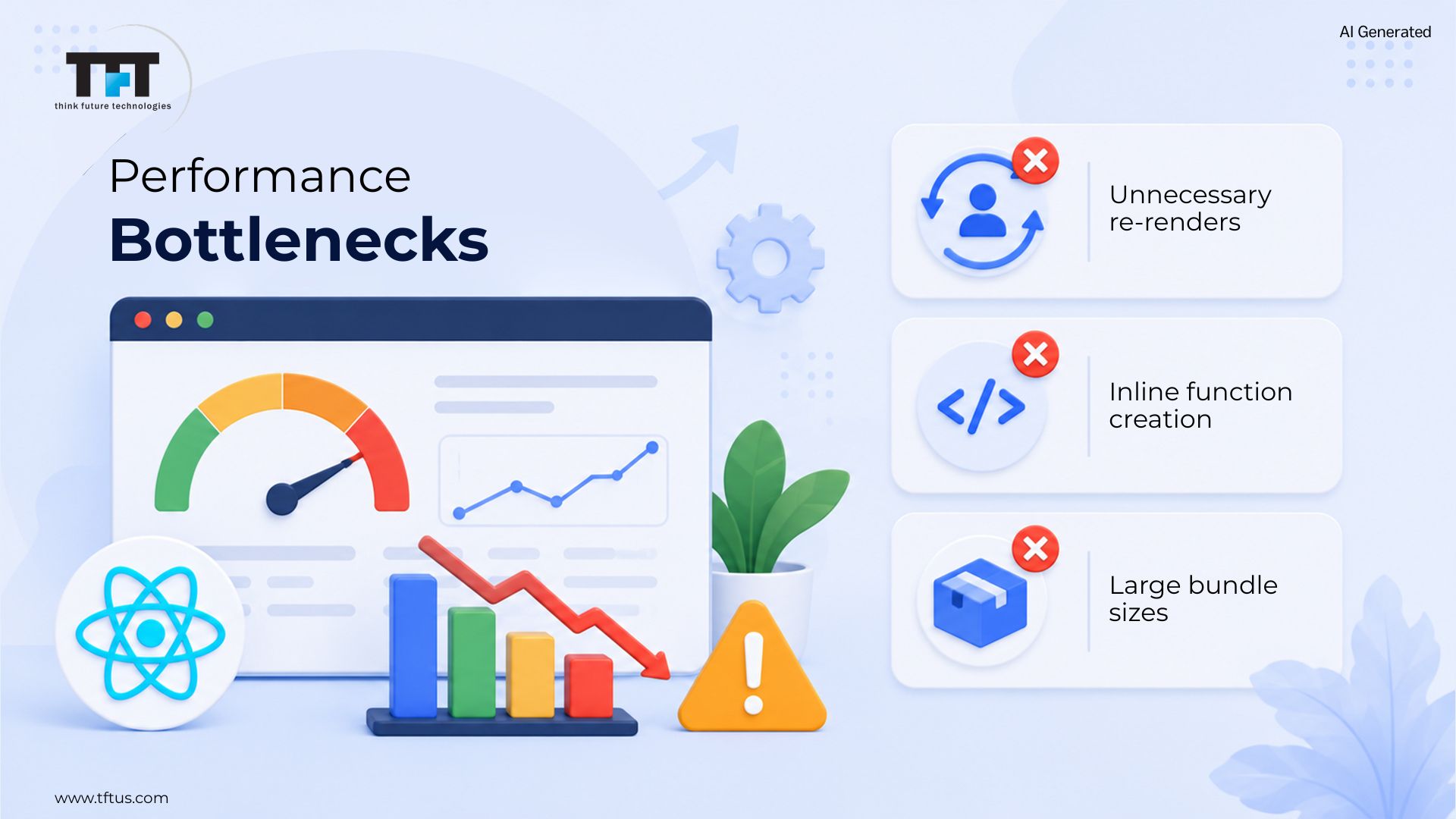
Performance Problems
Unnecessary Re-renders
When a component’s state or props change, React re-renders the component. If a parent updates, React also re-renders all of its children, even those whose props did not change. This can slow large applications.
Prevent unnecessary re-renders by wrapping components with React.memo and memoizing objects to optimize large trees.
Most performance issues in React arise from unnecessary re-renders, where even small state changes trigger repeated component executions (Medium, 2026).
Inline Function Definitions
If you define functions inside your component’s render body, a new function is created every time the component re-renders. React compares props and treats them as new, even when the logic is the same, causing avoidable child component updates.
Define functions outside the render method or use the useCallback hook to create stable references. This approach reduces unnecessary re-renders and improves performance.
Large Bundle Sizes
Importing an entire library rather than just one or more components can dramatically increase your bundle size. A large bundle can slow download times, thereby negatively affecting the user experience.
Use named imports rather than default imports, and use code-splitting so you can load only the code you need to run your application. This practice can improve application load time and, therefore, the application’s performance.
Case Study: Fixing React Performance Bottlenecks in a Legacy System
A U.S.-based communications company faced serious performance issues in its React application due to outdated architecture and inefficient rendering patterns. As the application scaled, unnecessary re-renders and asynchronous behavior began to impact performance and user experience.
To address this, the development team carried out a complete refactoring of the codebase. They replaced the legacy structure with a component-driven architecture, introduced TypeScript for better reliability, and implemented modern techniques such as React Suspense and virtual lists to optimize rendering.
As a result, key rendering bottlenecks were eliminated, code quality improved significantly, and the application became more scalable and maintainable for long-term use.
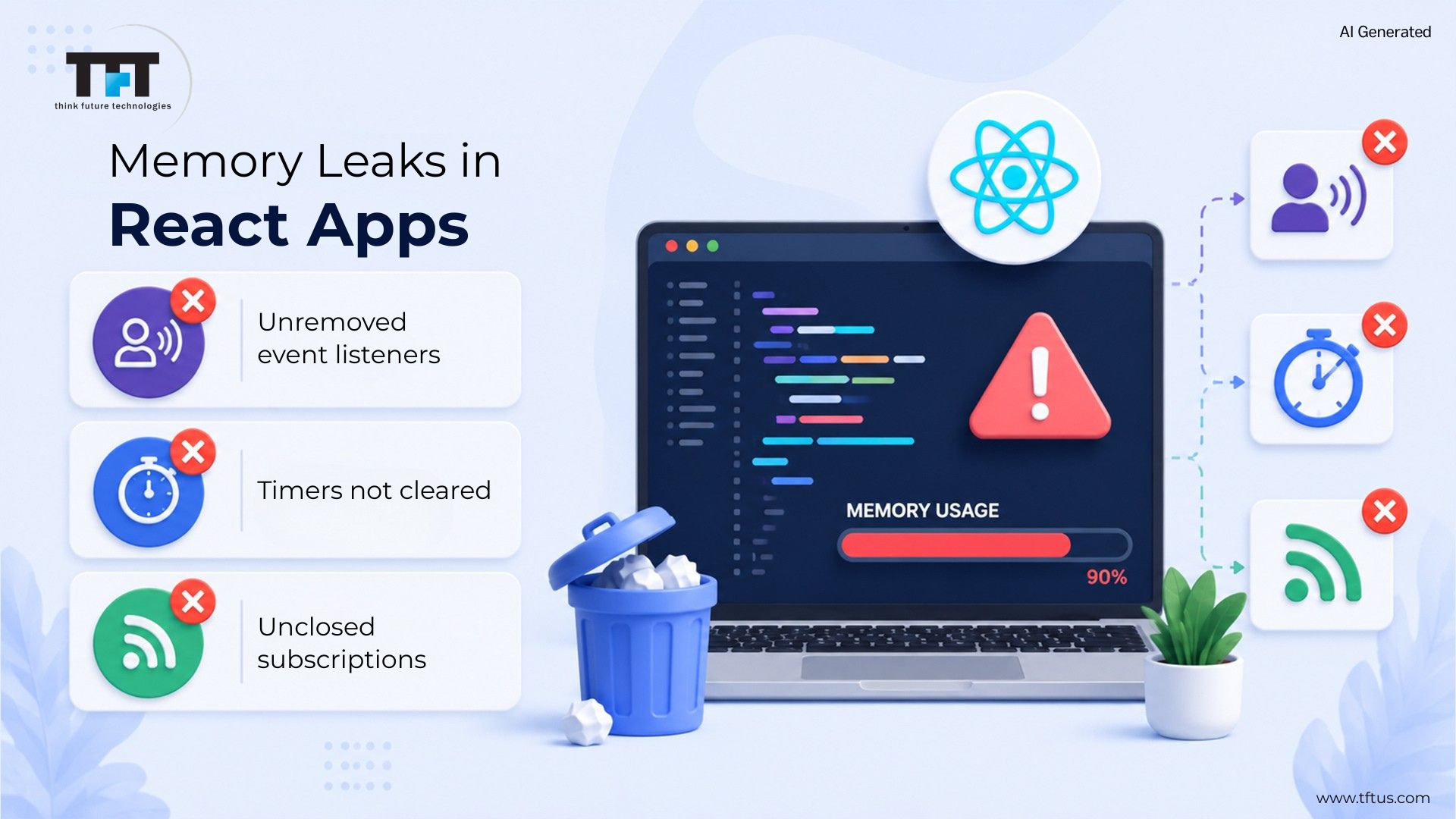
Memory Leaks
Event Listener Cleanup
If you add event listeners to components and don’t remove them, memory leaks can occur. These listeners keep firing even after the component unmounts.
Use cleanup functions within useEffect to remove event listeners when components unmount. Proper cleanup reduces memory use and supports application performance.
Timer and Interval Cleanup
When a component unmounts, any timers and intervals still running will remain in memory, slowing your app.
Use clearTimeout or clearInterval to clear timers during cleanup to prevent memory leaks and ensure stability.
Subscription Cleanup
When using external subscriptions, such as WebSockets, make sure you clean them up properly to avoid leaving old subscriptions open, which can eat up memory.
Unsubscribe from external resource subscriptions or use AbortController for fetch requests to release resources and prevent memory leaks.
API and Data Fetching Bugs
Race Conditions
When multiple API calls run concurrently, the response order can result in incorrect data. A slower API call’s result may be overwritten by a faster one, creating confusion for users.
You can avoid this issue by either using an AbortController or tracking the request ID for each API call, so that when the faster API response comes back, you can determine whether to ignore it.
Error Handling
Not handling API error conditions will result in broken user experiences (blank screens) in your application.
Improve user experience by handling API errors. Use try/catch blocks for synchronous operations, error boundaries for asynchronous operations, and provide error messages and retry options where needed.
Missing Loading States
Users get confused when there are no loading indicators during data fetches. The app seems frozen while waiting for a response.
Track loading states and provide users with appropriate visual indicators, such as spinners or skeleton screens, for clarity during data fetching.
Console Warnings and Errors
React Strict Mode Warnings
React’s Strict Mode double-renders components in development to help identify issues early, such as unsafe side effects. Use this tool to ensure code quality and resolve the issues it highlights, rather than disabling it.
Key Prop Warnings
If a list of items does not include a unique key for each item, then a console warning message will be displayed. Without the key, React cannot track changes to items.
Provide each list item with a unique, stable key to prevent rendering issues. Avoid using array indices as keys, as this can cause incorrect rendering and bugs.
Deprecated API Warnings
React will alert you to deprecated APIs (such as lifecycle methods). If you ignore these warnings, the deprecated methods may not function correctly in a future update.
To prepare for React deprecations, follow the latest React documentation and use recommended modern patterns in your code.
Testing Related Bugs
Testing Asynchronous Updates
Since React updates state asynchronously, tests may access old values, leading to unreliable results.
Use asynchronous testing utilities such as waitFor to achieve reliable results when testing state updates in React.
Testing Cleanup
Improper test cleanup may cause false failures in later tests. Leftover state or DOM changes can also cause issues.
By following these best practices, you’ll create more robust and high-performing React applications. Start applying these strategies today to minimize bugs and boost your team’s productivity.
To produce reliable test cases, follow these three testing concepts.
What are some Debugging Strategies ?
Using React Developer Tools
React Developer Tools is a helpful tool for inspecting component props and state in real time and providing a clear view of the component hierarchy.
Profiler will tell you if there are performance problems or slow-running components, greatly reducing the time it takes to debug your application.
Console Logs and Debugging
Using console.log() statements can help you quickly determine where data flows through your application and identify issues. While console logging is the simplest way to debug, it may not always be the most effective.
When using console.log(), don’t create excessive logs and provide clear labels so you can understand what’s being displayed. Use console.table() to provide greater visibility into your data.
Code Editor Integrations
Many modern editors (e.g., Visual Studio Code) integrate with ESLint and/or TypeScript, enabling early identification of code issues during development via warnings.
Using a proper setup generally results in clean, consistent code before execution.

What are the Best Practices for Prevention ?
Following React Patterns
By following patterns for writing React components, keeping component size small, and using composition over inheritance, you will have a predictable structure to follow when writing React code. This will reduce the number of bugs in your code and improve its maintainability.
Code Reviews
Conducting a code review of the code you write will help catch issues that may arise early on, as well as increase the quality of the code you write by collaborating with your fellow developers. You should also pay special attention during code reviews to the use of React hooks, state management in hooks, and performance issues.
Automated Testing
Automated testing of your React components will ensure they work correctly and protect against regressions. When testing your components, focus on how users interact with them rather than their implementation to achieve the best possible coverage.
What are some Common Pitfalls in React Development ?
Even when you understand the basics, certain pitfalls can still cause issues in real-world applications.
1. Overusing useEffect
Many developers rely too heavily on useEffect for logic that could be handled elsewhere, resulting in complex, hard-to-debug code.
2. Premature Optimization
Using React.memo, useMemo, or useCallback everywhere can actually slow down your app rather than improve performance.
3. Ignoring Component Design
Poorly structured components make debugging harder and increase the chances of bugs spreading across the application.
4. Over-Fetching Data
Making unnecessary API calls or failing to cache responses properly can degrade performance and user experience.
5. Ignoring User Experience During Fixes
Fixing bugs without considering UX can lead to technically correct but frustrating user interactions.
These pitfalls are subtle but can significantly impact the quality and scalability of your React application.
Conclusion
Fixing typical React problems makes apps run more smoothly. Though hook errors pop up often, they rarely stay hidden for long. Rendering glitches are visible in real time, making them easier to trace.
By following best practices, utilizing the right tools, and writing thorough tests, you can catch and fix most bugs before they become a problem. This approach not only improves the overall quality of your code but also delivers a smoother, more enjoyable user experience.


Leave a Reply